Htaccess File Sample
Comprehensive .htaccess example file with advanced examples in 1 htaccess sample skeleton .htaccess file with the very best apache htaccess examples... Updated frequently based on detailed info from the Apache htaccess tutorial.
Comprehensive .htaccess example file with advanced examples in 1 htaccess sample skeleton .htaccess file with the very best apache htaccess examples... Updated frequently based on detailed info from the Apache htaccess tutorial.

Well what can I say, other than this is sooo DOPE! Here is a list of the modules this plugin (version 4.7 unreleased) will automatically detect. I compiled the list myself using every module included with any default Apache installation for ALL the versions listed below, 1.3 to 2.2+
Want to know something else I'm including in this plugin? For each and every module that is detected, this plugin can then detect ALL of the modules .htaccess Directives! For instance, RewriteRule, AccessFileName, AddHandler, etc.. are each a directive belonging to a module that is allowed to be used from within .htaccess files.
Talk about sick.. these tricks have the diamond disease!
Apache has the best SSL/HTTPS support and can be controlled by the httpd.conf file or other HTTPD server configuration file. This htaccess tutorial has htaccess example code to make it easy to secure and use HTTPS and SSL with Apache.
Htaccess php tips and tricks for the Apache HTTPD Web Server, mostly these tips show you how to run customized versions with customized php.ini files, I require custom php.ini files because they are so useful!
NOT a typo.. 30x is measurable, well-documented, and easily tested. This is what open-source is about. I haven’t had time to post much the past year, I'm always working! So I wanted to make up for that by publishing an article on a topic that would blow your mind and be something that you could actually start using and really get some benefit out of it. This is one of those articles that the majority of web hosting companies would love to see in paperback, so they could burn it.
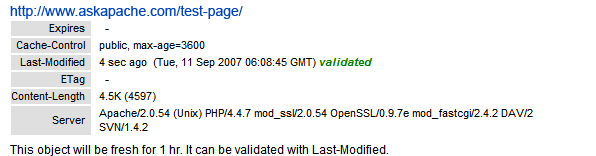
If you examine the preferences dialog of any modern Web browser (like Internet Explorer, Safari or Mozilla), you'll probably notice a 'cache' setting. This lets you set aside a section of your computer's hard disk to store representations that you've seen, just for you. The browser cache works according to fairly simple rules. It will check to make sure that the representations are fresh, usually once a session (that is, the once in the current invocation of the browser).
This is all new, experimental, and very very cool. It literally uses .htaccess techniques to create several virtual "locked gates" that require a specific key to unlock, in a specific order that cannot be bypassed. It uses whitelisting .htaccess tricks to specify exactly what is allowed, instead of trying to specify everything that isn't allowed. Also, by setting specific cookies/tokens after successfully passing through a gate, we can then require the exact cookie/token from the previous gate, which stops an attacker from skipping or bypassing gates.
Its really nice to be able to print out a webpage you are reading using your browsers built-in print feature. Using CSS you can easily transform your site into a print-friendly site.
Today I received an email from a visitor to my site requesting that I add a way to print site articles on AskApache
To make your site even faster, serve certain content from different subdomains. The reason this works is amazingly cool!
I've had a lot of people ask about the FeedBurner FeedCount image on AskApache. Specifically how to set it up with custom messages and different colors each page view... It is pretty sweet..
Before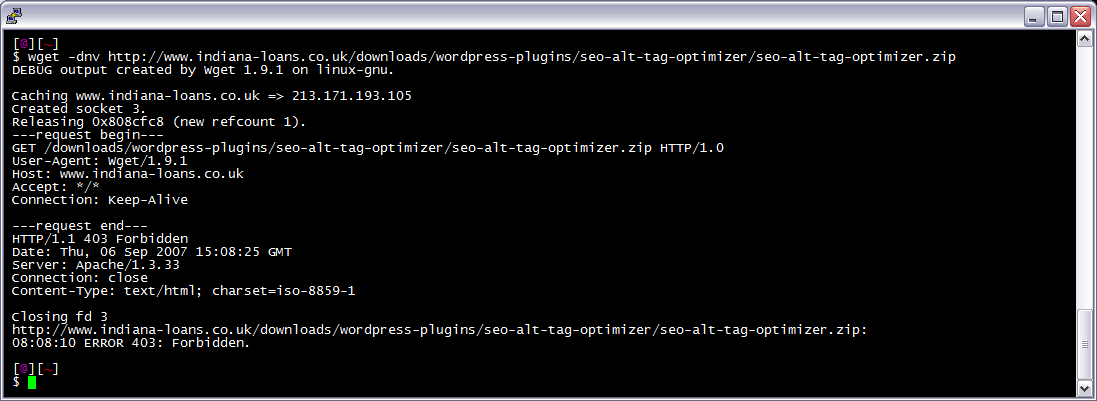 After trick
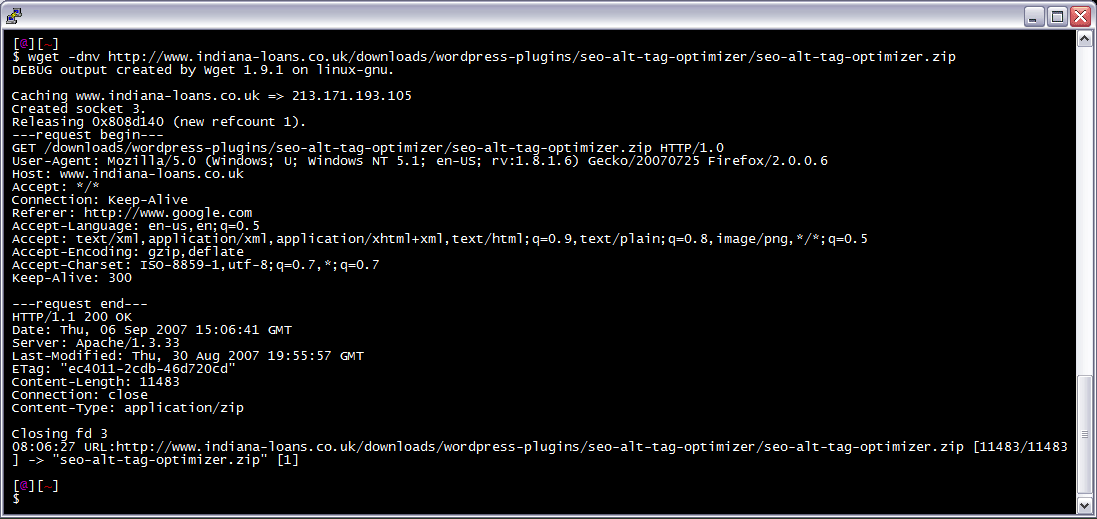 I am often logged in to my servers via SSH, and I need to download a file like a WordPress plugin. I've noticed many sites now employ a means of blocking robots like wget from accessing their files. Most of the time they use .htaccess to do this. So a permanent workaround has wget mimick a normal browser.
WordPress blogs show the same duplicate content for https://www.askapache.com/index.php and https://www.askapache.com/. If you've read about using a robots.txt file for WordPress SEO, than you already understand this setup results in Duplicate Content penalties being levied against your Blog and Web Site by Search Engines.
To prepare for several upcoming articles on AskApache that are focused on optimizing Servers and Sites from a server admin level, here is an article to introduce the main tools that we will be using. These tools are used to optimize CPU time for each process using nice and renice, and other tools like ionice are used to optimize the Disk IO, or Disk speed / Disk traffic for each process. Then you can make sure your mysqld and httpd processes are always fast and prioritized.
DreamHost PS gives you your own "virtual machine", protecting your CPU and RAM on your physical machine for faster websites. Here's what I like and dislike about DreamHostPS, and some of the issues and solutions for migrating.
 This article shows how to save and modify php session data, cookies, do anything really... without using ajax or iframes or forcing the user make a request.
 If you want to pre-load
 .flv / .mp3 files into a visitors browser cache using flash, here's the actionscript I use to do it, and some ideas behind a good javascript implementation using swfobject or ufo.
Top 3 ways to speed up websites that use Google Analytics. Host Script Locally, Fix Google-Analytics Cookie Domain, and Failsafe Loading for optimum tracking statistics.
SetEnv, SetEnvIf, and SetEnvIfNoCase directives conditionally set environment variables accessible by scripts and apache based on HTTP Headers, Variables, and Request information.
 Implementing an effective SEO robots.txt file for WordPress will help your blog to rank higher in Search Engines, receive higher paying relevant Ads, and increase your blog traffic. Get a search robots point of view... Sweet!
There are so many WordPress plugins out there now that I wanted to post my favorite 3 plugins for speeding up a WP-Powered blog. These are the 3 plugins that I install for pretty much all of my WP-Powered sites, which I run about 300 now. They work together to provide a very optimized blog for speed.
DB-Cache Reloaded does something entirely different, it saves the mysql queries that are made to the WP-database, as well as the mysql results to static files, and then through php serves those cached-files instead of re-querying the mysql database. Most mysql databases are stored on separate servers, and although many are on the same local network there is a limit to how many queries, and how many connections can take place.
So DB-Cache Reloaded basically makes WP-Super Cache work alot faster when generating the cache files, and DB-Cache Reloaded helps in a number of areas un-related to WP-Super Cache, like in the admin panel. And DB-Cache without WP-Super-Cache is a joke because it still uses the application-level and php for everything. Gotta use both (or just WPSC).
 What if you'd like to send a 200 OK response instead of the default 404 Not Found response using Apache
 .htaccess files or httpd.conf? One use would be to make sure upstream caches cache any request on an api server, as 404's are not cached.
Replace underscores in URLs with hyphens using Apache .htaccess.
These are a few of the mod_rewrite uses that BlogSecurity declared pushed the boundaries of Mod_Rewrite! Some of these snippets are quite exotic and unlike anything you may have seen before, also only for those who understand them as they can kill a website pretty quick.
As a security nut myself, and also a Linux admin, one of my biggest pet peeves is when I've taken the time and care to segment all the users on a server into separate home directories, and then some developer comes along, logs in as root, and changes the ownership of files. Other things can cause this, like Apache, PHP, Mutt, etc.. So I've always used a cron job that executes daily (and on demand) which automatically fixes all the permissions back to what they should be.
If you have files on your site that you don't want indexed by malicious search engines, grabbed and leeched by malicious spammers, or stolen and made available elsewhere, you can use mod_rewrite to drastically reduce or totally reduce that activity.
 If you desire SPEED from your WordPress blog, the #1 speed improvement comes from using the WP-Cache Plugin. If you still desire SPEED after installing the Plugin, you can modify the WP-Cache Plugin code to make your blog even faster!
Some of my favorite htaccess examples from some of my favorite .htaccess tutorials. These cut-and-paste ready htaccess code snippets are very useful for website and server administrators.
 FeedBurner is so RAD! I love it. Here's an alternative method to redirect scrapers and feed requests to your feedburner url, in my case, I use Branding by feedburner, which is so hot, taking advantage of CNAMEs in your DNS record.
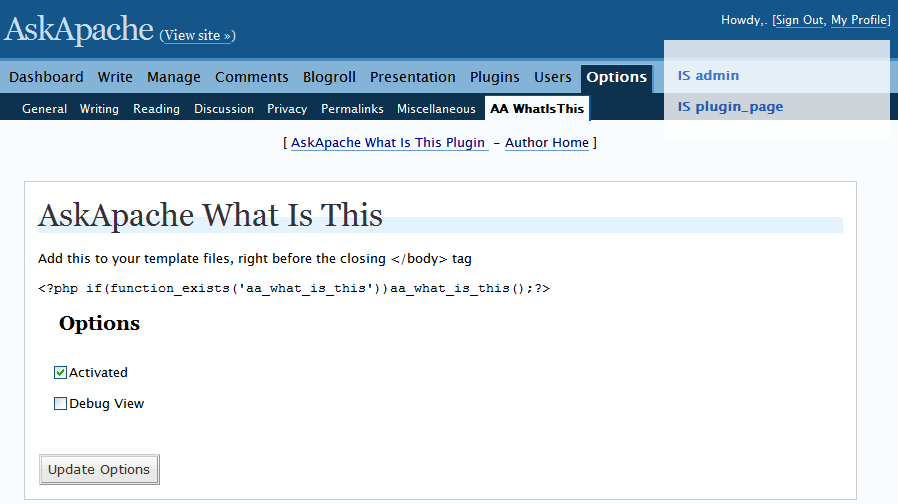 It shows a semi-transparent box on the document you are viewing that tells you if its a page, single, feed, category, etc..
Look at the text "askapache". That's pretty boring huh? It would be cool to have a nerdy textual representation of that for extra nerdy stuff like styling my /robots.txt file, email list signatures, forum sigs, etc. But who has time to create that by hand? If only there were an online tool to create it..
Bam.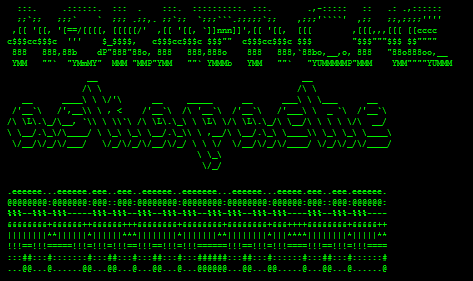
 Let me show you an example that works so well I am using it right now on my site. Every page in fact. If you are a young or up and coming web developer with skills to pay the bills, lets make the future Net fast, learn about optimization and refactoring while you still have the chance.
 Thought I'd give you all the tips and tricks that I've learned and use when developing WordPress plugins.. which can be quite fun!

