DNS Round Robin Configuration using Rsync over SSH
The goal is to add the HostGator server to be an exact mirror of the s.askapache.net domain, then to add that server as a 2nd A record to my DNS zone. That way half the visitors to the size will be taking up resources and bandwidth on the HostGator server instead of mine.
Round Robin A records in DNS are intended to evenly distribute queries between each host of the same name. Using some tricks straight out of a hackers toolbox we can verify if the distribution is taking place. (It is.)
DreamHost
Upgrading to DreamHost Private Servers
DreamHost PS gives you your own "virtual machine", protecting your CPU and RAM on your physical machine for faster websites. Here's what I like and dislike about DreamHostPS, and some of the issues and solutions for migrating.

Multiply your DreamHost Referrals
 Learn how to make YOUR DreamHost promo codes work much better for YOU! This is not about promo-codes, this is about a simple method you should implement.
Rigging the DreamHost Site of the Month Contest
Since I was disqualified and accused of cheating, which is absolutely false, I decided to go ahead and do the crime I have been punished for. That's right, I'm going to show YOU how I could have rigged the DHSOTM contest to hopefully make the statement that I absolutely did not cheat and I absolutely want to be re-instated as the winner.DreamHost’s Private Servers Finally Rooted
Using ModSecurity on DreamHost with .htaccess
DreamHost ProcWatch
DreamHost Site of The Month Contest
 Every month a contest called DHSOTM is held for the highest rated website on DreamHost. By winning the contest your site gets SEO and traffic benefits, which I hope to measure soon.
DreamHost Site of The Month is AskApache!
AskApache.com won the contest for May! Thanks to all of you who voted for my site! Even though AskApache won the contest according to the rules, somehow they said I cheated by giving DreamHost too much free publicity and advertising. I love DreamHost!
Lets win the DreamHost Contest
DreamHost has a contest every month nicknamed "DHSOTM" or DreamHost Site Of The Month, that lets the customers rank websites hosted on DreamHost.
By winning the contest you get to put a graphic designed in the 90's on your site. I want it so bad!
AskApache.com May 2008 DreamHost Site of The Month
With a rating of 8.58, this marks the highest rated DreamHost Site Of The Month Winner in the History of the Contest!
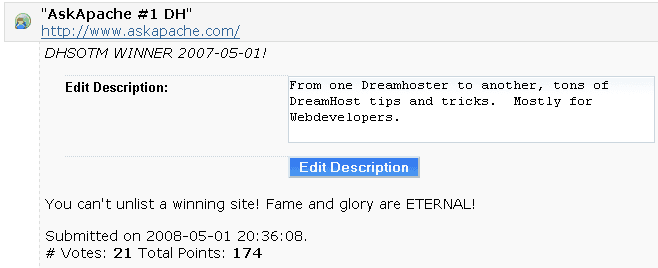
What I think about DreamHost Web Hosting
NOTE: This is a very old post, I do NOT recommend DreamHost for anyone other than spammers. They are not a long-term solution.
FastCGI on DreamHost
Using FastCGI on DreamHost and .htaccess
SPF Records on DreamHost
Here are the steps that I take to get an SPF Record going on DreamHost
v=spf1 mx ip4:64.111.100.0/24 ip4:66.33.201.0/24 ip4:66.33.216.0/24 ip4:208.97.1 32.0/24 ip4:208.97.187.0/24 ip4:208.113.200.0/24 ip4:208.113.244.0/24 ip4:64.18.0.0/20 ip4:74.125.148.0/22 include:aspmx.googlemail.com include:_spf.google.com ~all
Custom PHP.ini with FastCGI on DreamHost
I'm really sorry but I had to disable the sites you had running under user $USER because that was the only way I could keep the associated processes from restarting themselves and making the server unstable. Please do not run these sites with a persistent php.cgi process with a php.ini file as an argument.Apache Directives and Modules on DreamHost
Apache .htaccess Directives and Loaded Modules allowed on DreamHost Apache Server 2 Setups.
IP Abuse Detection for DreamHost
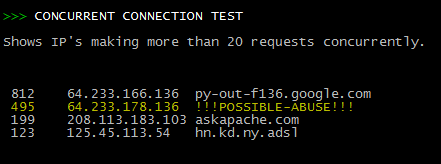 Scan Apache logs for IP address that are probably evil, then generates an .htaccess file to DENY them all.
Shell Scripts for Dreamhost
Example shell scripts (bash or sh) that automate and easyate tasks from within the dreamhost ssh env
Mod_Security .htaccess tricks
Mod_Security rivals Mod_Rewrite in the amount of features it provides. I decided to go ahead and post what I learned about it today, even though its tough to give away such awesome htaccess and apache tricks.. Learn how to control spam once and for all, conditionally log/deny/allow/redirect requests based on IP, username, etc.. Mod_Security is so fine!
SEO Redirects without mod_rewrite
Web Professionals use mod_rewrite to issue 301 and 302 Redirects for Search Engines. Sometimes you may not have mod_rewrite.c or you want an alternative redirect method. Using mod_alias RedirectMatch you can use REGEX in Redirect commands!
Mirroring an Entire Site using Rsync over SSH
Sometimes there is an urgent need for creating an exact duplicate or "mirror" of a web site on a separate server. This could be needed for creating Round Robin Setups, Load-Balancing, Failovers, or for just plain vanilla backups. In the past I have used a lot of different methods to copy data from one server to another, including creating an archive of the whole directory and then using scp to send the file over, creating an archive and then encrypting it and then sending that file over using ftp, curl, etc., and my persistence at learning new ways to do things has paid off because now I use rsync to keep an exact replica of the entire directory on an external server, without having to use all the CPU and resources of other mirroring methods.
301 Redirect with mod_rewrite or RedirectMatch
301 Redirects using Apache mod_rewrite or RedirectMatch in .htaccess or httpd.conf
Automated Folder Backup Shell-Script
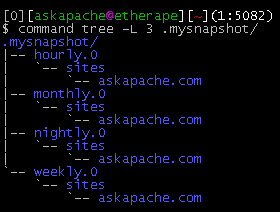
This simple unix shell script automatically creates backups of a specific folder at regular hourly, nightly, weekly, and monthly intervals. Instead of the usual method for copying directory trees using tar with fifo, pipes, rsync, or NFS methods this script uses cpio which is much much faster and has cool options like saving m/a/c times, symlinks, relative paths, and weird file names.
On-Demand MySQL Backup Shell Script
On-Demand WordPress MySQL database Backup Shell Script for DreamHostActual Htaccess Files from My Server
#### No https except to wp-admin -
# If the request is empty ( implies fopen or normal file access by a php script )
RewriteCond %{THE_REQUEST} ^$ [OR]

# OR if the request if for wp-admin or wp-login.php
RewriteCond %{REQUEST_URI} ^/(wp-admin|wp-login.php).*$ [NC,OR]

# OR if the Referer is https
RewriteCond %{HTTP_REFERER} ^https://www.askapache.com/.*$ [NC]

# THEN skip the following rule, basically all this does is force https or badhost to be redirected
# BUT because of the above 3 rewritecond's, this won't break poorly written admin scripts
RewriteRule .* - [S=1]

RewriteCond %{HTTPS} =on [OR]
RewriteCond %{HTTP_HOST} !^www.askapache.com$ [NC]
RewriteRule .* https://www.askapache.com%{REQUEST_URI} [R=301,L]

RewriteCond %{THE_REQUEST} ^[A-Z]{3,9} /(wp-admin/.*|wp-login.php.*) HTTP/ [NC]
RewriteCond %{HTTPS} !=on
RewriteRule .* https://%{SERVER_NAME}%{REQUEST_URI} [R=301,L]
PHP5 Custom Install Shell Script Example
Today I successfully learned how to compile and run multiple custom php installations for a DreamHost account, and to get it working I came upon a simple shell script that I made a couple changes to.
Speed Tips: Use Multiple SubDomains
To make your site even faster, serve certain content from different subdomains. The reason this works is amazingly cool!
Chmod, Umask, Stat, Fileperms, and File Permissions
Unix file permissions are one of the more difficult subjects to grasp.. Well, ok maybe "grasp" isn't the word.. Master is the right word.. Unix file permissions is a hard topic to fully master, mainly I think because there aren't many instances when a computer user encounters them seriously, and bitwise is oldschool. This contains a listing of all possible permission masks and bits from a linux, php, and web hosting view.... cuz you guys AskApache Regs Rock!
Custom bash_profile for Advanced Shell Users
Looking for some advanced uses for the shell? Here is some of my best. The shell is where 70% of my work takes place, and I have at least one terminal open almost 100% of the time, for viewing tailing color-coded logs, and of course for the SSH Tunnels that I use to route various networking through, like my email. So I decided that to standardize and create a bash_profile containing the most time-saving and helpful functions that I could use on all the various hosting environments would really be some sweet sugar, so here is my constant Work-in-progress.
It works for all shells I encounter, including BackTrack, Debian, Knoppix, Arch Linux, etc. Also works for many hosting environments I use including DreamHost, HostGator, WiredTree, and pretty much any linux VPS.
I also rely on this heavily from within shell scripts I write to access all the functions and stuff in this .bash_profile, and to do that I just do like:
#!/bin/bash

source ~/.bash_profile &>/dev/nulll

pm "PM is a function to output nice messages with color"
yn "Are you enjoying the shell" && pm "Thats great!" || pm "Perhaps you're better suited for DOS"
yn "Show Calendar" && aa_calendar
yn "Show Fortune" && aa_fortune
30x Faster Cache and Site Speed with TMPFS
NOT a typo.. 30x is measurable, well-documented, and easily tested. This is what open-source is about. I haven’t had time to post much the past year, I'm always working! So I wanted to make up for that by publishing an article on a topic that would blow your mind and be something that you could actually start using and really get some benefit out of it. This is one of those articles that the majority of web hosting companies would love to see in paperback, so they could burn it.
Custom PHP.ini tips and tricks
- When php run as Apache Module (mod_php)
- When php run as CGI
- When cgi?d php is run with wrapper (for FastCGI)
Skeleton .htaccess file for Powweb Hosting
 If you have a Powweb Webhosting account, you will appreciate this simple skeleton .htaccess file for use on their systems.
Regular Expressions in Dreamweaver
Find and Replace tool in Adobe DreamWeaver is useful of course, but you aren't using a fraction of the power until you use REGEX.
.htaccess Examples: Cookies, Variables, Custom Headers
 Fresh .htaccess code for you! Check out the Cookie Manipulation and environment variable usage with mod_rewrite! I also included a couple Mod_Security .htaccess examples. Enjoy!
Originally Posted: 3/29/2008
PHP htaccess tips and tricks
Htaccess php tips and tricks for the Apache HTTPD Web Server, mostly these tips show you how to run customized versions with customized php.ini files, I require custom php.ini files because they are so useful!
Advanced Google Analytics 404 Error Page
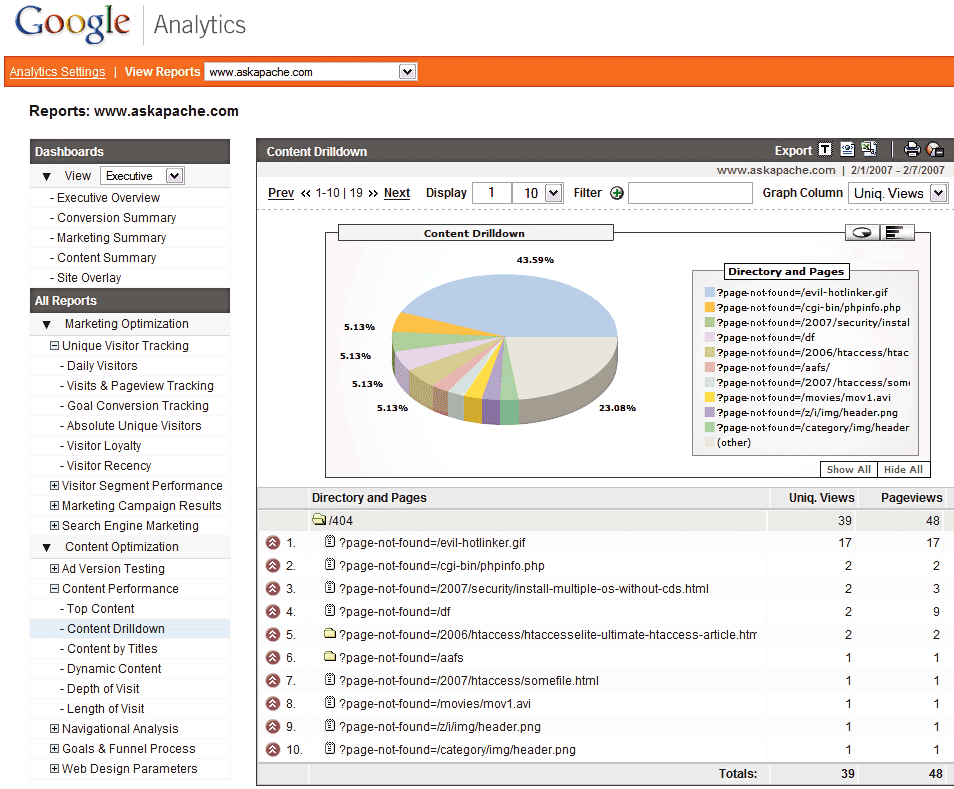 Advanced 404 Not Found Error page usage with Google Analytics. This makes it very easy to diagnose and keep track of 404 Error messages from within google analytics. Enjoy!
Questions I Ask Web Hosting Companies, Before Buying
The following is a transcript of a chat I had with a company called tektonic, and at that time I was looking for a cheap linux host to use for some redundancy/failover operations. I generally contact a new hosting company like this every few months.. I like to have options available in case of some kind of failure or network attack, so it's always a good idea to have a few ace linux servers in your back pocket.
If you've read any other articles on AskApache, you can see a certain obsession towards optimization, speed, and security -- so that is the purpose of the following questions.
Serve Alternate Content based on Time
 Time-dependant rewriting uses mod_rewrite and apache server time variables to display different files depending on the time, while the URL stays the same. An often requested implementation of this is to display a different home page or image depending on if its morning, noon, or night.