Speed Up Sites with htaccess Caching
2 awesome ways to implement caching on your website using Apache .htaccess or httpd.conf. Both methods are extremely simple to set up and will dramatically speed up your site!THE Ultimate Htaccess
 .htaccess is a very ancient configuration file for web servers, and is one of the most powerful configuration files most webmasters will ever come across. This htaccess guide shows off the very best of the best htaccess tricks and code snippets from hackers and server administrators.
You've come to the right place if you are looking to acquire mad skills for using .htaccess files!
Actual Htaccess Files from My Server
#### No https except to wp-admin -
# If the request is empty ( implies fopen or normal file access by a php script )
RewriteCond %{THE_REQUEST} ^$ [OR]

# OR if the request if for wp-admin or wp-login.php
RewriteCond %{REQUEST_URI} ^/(wp-admin|wp-login.php).*$ [NC,OR]

# OR if the Referer is https
RewriteCond %{HTTP_REFERER} ^https://www.askapache.com/.*$ [NC]

# THEN skip the following rule, basically all this does is force https or badhost to be redirected
# BUT because of the above 3 rewritecond's, this won't break poorly written admin scripts
RewriteRule .* - [S=1]

RewriteCond %{HTTPS} =on [OR]
RewriteCond %{HTTP_HOST} !^www.askapache.com$ [NC]
RewriteRule .* https://www.askapache.com%{REQUEST_URI} [R=301,L]

RewriteCond %{THE_REQUEST} ^[A-Z]{3,9} /(wp-admin/.*|wp-login.php.*) HTTP/ [NC]
RewriteCond %{HTTPS} !=on
RewriteRule .* https://%{SERVER_NAME}%{REQUEST_URI} [R=301,L]
FastCGI on DreamHost
Using FastCGI on DreamHost and .htaccess
htaccess directives available on Powweb
List of the directives available to Powweb users for use in htaccess filesCaching Tutorial for Webmasters
If you examine the preferences dialog of any modern Web browser (like Internet Explorer, Safari or Mozilla), you'll probably notice a 'cache' setting. This lets you set aside a section of your computer's hard disk to store representations that you've seen, just for you. The browser cache works according to fairly simple rules. It will check to make sure that the representations are fresh, usually once a session (that is, the once in the current invocation of the browser).
Web Development Glossary
Apache 2.4 and PHP-FPM
Notes from Apache HTTPD Source Code
thought I'd take a break from coding and post about how open-source is such a great tool for finding the best answers to the toughest questions,
/** is the status code informational */
#define ap_is_HTTP_INFO(x)         (((x) >= 100)&&((x) < 200))
/** is the status code OK ?*/

#define ap_is_HTTP_SUCCESS(x)      (((x) >= 200)&&((x) < 300))
/** is the status code a redirect */
#define ap_is_HTTP_REDIRECT(x)     (((x) >= 300)&&((x) < 400))

/** is the status code a error (client or server) */
#define ap_is_HTTP_ERROR(x)        (((x) >= 400)&&((x) < 600))
/** is the status code a client error  */

#define ap_is_HTTP_CLIENT_ERROR(x) (((x) >= 400)&&((x) < 500))
/** is the status code a server error  */
#define ap_is_HTTP_SERVER_ERROR(x) (((x) >= 500)&&((x) < 600))

/** is the status code a (potentially) valid response code?  */
#define ap_is_HTTP_VALID_RESPONSE(x) (((x) >= 100)&&((x) < 600))
SSI in Htaccess for ErrorDocuments, DirectoryIndexing, SEO

 3-Part article covering practical implementation of 3 advanced .htaccess features. Discover an easy way to boost your SEO the AskApache way (focus on visitors), a tip you might keep and use for life. Get some cool security tricks to use against spammers, crackers, and other nefarious sorts. Take your site's error handling to the next level, enhanced ErrorDocuments that go beyond 404's.
Ultimate Htaccess Part II
 Here is even more information from the Ultimate Htaccess Part I. For now this is very rough and you will want to come back later to read it.
Optimizing Servers and Processes for Speed with ionice, nice, ulimit
To prepare for several upcoming articles on AskApache that are focused on optimizing Servers and Sites from a server admin level, here is an article to introduce the main tools that we will be using. These tools are used to optimize CPU time for each process using nice and renice, and other tools like ionice are used to optimize the Disk IO, or Disk speed / Disk traffic for each process. Then you can make sure your mysqld and httpd processes are always fast and prioritized.
Apache Directives and Modules on DreamHost
Apache .htaccess Directives and Loaded Modules allowed on DreamHost Apache Server 2 Setups.
Advanced HTTP Request and Response Header Viewer
COMPUTER SECURITY TOOLBOX
List of mainly obscure security software geared more for the master pentester. These are mostly for unix, bsd, and mac and many are difficult to install and setup (require custom servers, inside access points, obscure libraries). Only programs that output data are included, so no actual exploits or anything. Most of these output extremely useful albeit extremely technical information.Password Protection Plugin Status
Enumerating Permissions can be Annoying
Don’t ask me how because I won’t tell you, but on one of the hosts I was testing on that did not allow direct access I was able to get the Apache server running as dhapache to erroneously write a file into my users blog directory. This is a big security no-no and I now have my .htaccess file written into the blog directory where it should go, but instead of my php script’s user having write access to the file so I can modify it, its owned by dhapache! Because the file is owned by dhapache I shouldn’t even be allowed to know it exists, but there it is. So the next step was to try and take ownership of the .htaccess file so that I could modify it. I tried and tried but was unsuccessful, I couldn’t modify it so that was another dead end. Actually it took me awhile to figure out how to remove the file from my directory. Being that it was owned by dhapache I couldn’t delete or modify it using my php process or even through ftp/ssh! Sysadmins regularly run find commands that search the servers for any files owned by dhapache that should not be there as this is a big red flag that someone has found a way to manipulate dhapache which could potentially lead to modifying dhapache-owned server config files, which sometimes is all it takes to hack your website and server.. Luckily I was able to delete it by basically running the hack again to overwrite the file.
Running a Reverse Proxy in Apache
Advanced WordPress wp-config.php Tweaks
The bottom line for this article is that I want to make WordPress as fast, secure, and easy to install, run, and manage because I am using it more and more for client production sites, I will work for days in order to solve an issue so that I never have to spend time on that issue again. Time is money in this industry and that is ultimately (time) what there is to gain by tweaking WordPress.
Note: I spent no time on readability, this is primarily a read the code and figure it out article.. This is for advanced users looking for a reference or discussion and for those of you looking to advance. Feedback would be great if you make it that far..
Libcurl Error Codes

Speed Up init_connect in my.cnf for UTF8
Before
init-connect='SET NAMES utf8'
init_connect='SET CHARACTER SET=utf-8'
After
init_connect='SET collation_connection = utf8_general_ci,NAMES utf8'
27 Request Methods for Apache rewritecond htaccess
Debugging Tools for Windows
I am almost ready to publish the final tutorial on using ssh tunnels from a truecrypt partition on a Windows machine. Of course I choose to go way overboard in my research and the tutorial is full of some pretty awesome windows tricks.. I will come back to this post soon and post all the other advanced tools I use for debugging windows, for now though you MUST know how to debug the kernel and use these basic debugging tools.
SEO with Robots.txt
Very nice tutorial dealing with the robots.txt file. Shows examples for google and other search engines. Wordpress robots.txt and phpBB robots.txt sample files.Request Method Security Scanner
.htaccess Plugin Blocks Spam, Hackers, and Password Protects Blog

Well what can I say, other than this is sooo DOPE! Here is a list of the modules this plugin (version 4.7 unreleased) will automatically detect. I compiled the list myself using every module included with any default Apache installation for ALL the versions listed below, 1.3 to 2.2+
Want to know something else I'm including in this plugin? For each and every module that is detected, this plugin can then detect ALL of the modules .htaccess Directives! For instance, RewriteRule, AccessFileName, AddHandler, etc.. are each a directive belonging to a module that is allowed to be used from within .htaccess files.
Talk about sick.. these tricks have the diamond disease!
Apache Variable Fun in htaccess
Server and Environment Variables are used by The Apache HTTP Server by provides a mechanism for storing information. This information can be used to control various operations such as logging or access control.
Mod_Rewrite Security
These are a few of the mod_rewrite uses that BlogSecurity declared pushed the boundaries of Mod_Rewrite! Some of these snippets are quite exotic and unlike anything you may have seen before, also only for those who understand them as they can kill a website pretty quick.
Advanced .htaccess Tricks for Securing Sites
This is all new, experimental, and very very cool. It literally uses .htaccess techniques to create several virtual "locked gates" that require a specific key to unlock, in a specific order that cannot be bypassed. It uses whitelisting .htaccess tricks to specify exactly what is allowed, instead of trying to specify everything that isn't allowed. Also, by setting specific cookies/tokens after successfully passing through a gate, we can then require the exact cookie/token from the previous gate, which stops an attacker from skipping or bypassing gates.
About AskApache
.htaccess – Wikipedia
Htaccess File Sample
Comprehensive .htaccess example file with advanced examples in 1 htaccess sample skeleton .htaccess file with the very best apache htaccess examples... Updated frequently based on detailed info from the Apache htaccess tutorial.
Advanced Windows Batch File Scripting
 If for some reason you need to use windows .bat batch file scripting to do some task, or you just want to learn the most universal batch programming language on Windows machines, you lucked out and found the AskApache example. My expertise is the shell, in this article the shell is Windows
 cmd.exe. It has some pretty advanced windows shell usage, including pipes and redirection, but it's the modular linux-like coding approach that earns this script it's "advanced" title.
:SETPROMPT
set PROMPT=$_[%USERNAME%@%USERDOMAIN%]$S[$P]$_$M$G && EXIT /B
 My favorite tool (and I've tried sooo many) for editing most Windows files and especially .bat files is the free and open-source Notepad++. Set that up and you will have a color-syntax-highlighted editor for Batch Scripting that works very very well.
Firefox Add-ons for Web Developers
 Advanced Web Development by AskApache is a Firefox Collection I created since I'm always trying new Addons out and using multiple computers and I wanted a quick and easy way to install my favorite's and keep a running list. Firebug, YSlow, LastPass, and Web Developer are the only ones I always use regularly.
I like the idea of the last.fm but it's not as powerful as the site, which is awesome. Lately listening to Kings of Leon Radio...
PortaPutty Auto-Reconnecting SSH Tunnels on an Encrypted TrueCrypt Portable USB Key w GPG
Ok I just came back up to write the intro.. I'm trying to keep it short to avoid getting bogged down by the coolness of each step. Here is what goes on. When I logon to my XP machine at work, I bring my usb key and plug it in first. On logging a window pops up first and it's a password prompt to mount my encrypted drive leonardo. It also checks a keyfile that is located on my usb key, but all I do now is type in my password. That causes my encrypted folder to be accessible to me like a normal drive, and it autoruns a startup batch file.
The batch file causes Portable versions of Firefox (all my bookmarks, my settings) to load, and launches Portable Mozilla Thunderbird (IMAP makes this work well), which is my favorite program (great GPG features and open-source!). Also Some Adobe CS4 software is loaded from the hard drive, like DreamWeaver. In the background, a service we created executes a PortaPuttY plink command to create forwarded tunnels from various remote servers and accounts, all using key-based encryption. These tunnels are automatically reconnected if they are disconnected, meaning you can use a socks 5 if you want or even better!
Questions I Ask Web Hosting Companies, Before Buying
The following is a transcript of a chat I had with a company called tektonic, and at that time I was looking for a cheap linux host to use for some redundancy/failover operations. I generally contact a new hosting company like this every few months.. I like to have options available in case of some kind of failure or network attack, so it's always a good idea to have a few ace linux servers in your back pocket.
If you've read any other articles on AskApache, you can see a certain obsession towards optimization, speed, and security -- so that is the purpose of the following questions.
Apache Environment Variables CGI Script
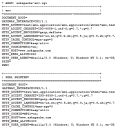 My improved version of the common printenv / test-cgi scripts for debugging Apache environment variables set in .htaccess files
MariaDB with LZ4 Compression Howto for CentOS
I really really wanted to run the latest MariaDB with LZ4 Page Compression.. it is a game changer for many types of large databases I deal with. So I compiled it manually in a way that is repeatable and follows best-practices and it's now powering this site. Now I can use InnoDB Page Compression with lzo, lzma, bzip2, snappy, or my favorite algorithm: LZ4.

Thought this would be a good chance to post a howto, and show that there is a lot you can do by compiling software yourself and breaking the package management one-click install shackles.
AskApache Password Protection, For WordPress
 AskApache Password Protect adds some serious password protection to your WordPress Blog. Not only does it protect your wp-admin directory, but also your wp-includes, wp-content, plugins, etc. plugins as well. Imagine a HUGE brick wall protecting your frail .php scripts from the endless attacks of automated web robots and password-guessing exploit-serving scripts.
PHP fsockopen for FAST DNS lookups over UDP
While reading up on gethostbyaddr on PHP.net, I saw a nice idea for using fsockopen to connect over UDP port 53 to any Public DNS server, like Google DNS 8.8.8.8, and sending the reverse addr lookup in oh about 100 bytes, then getting the response in oh about 150 bytes! All in less than a second. This is how/why to read/write data directly to the wire! This would be extremely valuable for use in things like my online header tool because it's faster than any other method. As usual, I went a bit overboard optimizing it to be lean and fast.