FYI, using the Mod_Rewrite Variables Cheatsheet makes this example, and all advanced .htaccess code easier to understand. This demo lets you set a cookie with 1 of 3 values, then you just request the pdf file with a normal link click and get 1 of 3 different responses. This is accomplished with a nice bit of .htaccess code.
Htaccess Htaccess HTTP cookie JavaScript PDF pdf.js Portable Document Format
SSLOptions +StrictRequire
SSLRequireSSL
SSLRequire %{HTTP_HOST} eq "google.com"
ErrorDocument 403 https://google.com
Some of the Ins and Outs of using SSL Connections with Apache.
Htaccess 301 Redirects Htaccess mod_rewrite SSL
Htaccess mobile devices mobile proxy server Mobile web analytics
A souped-up version of the Apache printenv script for hard-core server environment debuggery.
#!/bin/sh
echo -e "Content-type: text/plainnn"
...
  __T "CURRENT PROCESS CMDLINE"
  {
   for p in `echo /proc/[0-9]*/cmdline`;
   do
    pid=${p:6:$((${#p}-13))}
    [[ $pid == $PPID || $pid == $$ ]] && continue;
    __M "[ /proc/$pid ]";
    sed 's/x00/ /g;G' $p 2>/dev/null
   done
  }
 fi
Hosting Apache HTTP Server Apache server CGI Common Gateway Interface Htaccess
Here's the problem I was having while working on a custom theme for a client. Certain pages, posts, tag pages, archive pages, and custom pages either had the sidebar, or did not have the sidebar. The main content div #ContentW had a 72% width when the sidebar was present, otherwise it was 96%. The problem was that I dislike having to do things manually when they can be automated through code. What I was having to do was manually add/remove page-specific classes to the css file to reflect whether the sidebar was present on that page or not.
WordPress Sidebar wordpress
The following is just a quick but detailed reference of some of the commands I used to successfully uninstall cpanel permanently. This is for advanced users of the shell. If you run a single one of these commands without fully understanding it, you will probably kill your server, lose everything on it permanently, not have a website or email for weeks.. So backup everything. FIRST. You should also contact your hosting provider support - but be prepared for some MAJOR negativity.. cpanel makes things very easy for web-hosting companies, and you are less than a drop in their bucket.
Hacking bash cpanel linux whm
NOT a typo.. 30x is measurable, well-documented, and easily tested. This is what open-source is about. I haven’t had time to post much the past year, I'm always working! So I wanted to make up for that by publishing an article on a topic that would blow your mind and be something that you could actually start using and really get some benefit out of it. This is one of those articles that the majority of web hosting companies would love to see in paperback, so they could burn it.
Optimization tmpfs
- gzip's previous .htaccess file and sends it as an attachment to the logged in users email account along with password user setup.
- Now also works for sites running on SSL (PHP version >4.3.0)
- Rewrote the security module code in the form of snort, nessus, and mod_security rules and signatures
- Added a *real* check to see if mod_rewrite is installed
- Added Modules that remove directoryindexes
- Much more on the way..
WordPress
WaMu Reincarnation!
Man I was bummed about WaMu folding, they had the best banking site I've seen, and I've worked on a few myself. And of course the biggest reason to love WaMu was that they actually paid YOU to borrow your money to lend to other people. Can you even imagine that level of decency existing in the world? It's been taken to such a low level by Chase I almost forget how to spell it.
So I picked up my October issue of Wired to try and forget about such tragedies, and on the first page I flipped to was a 1/3 page advertisement for a bank that didn't beat around the bush at all. No fine print of any kind, just loud and clear message that they will pay you to be their banking customer. I wasted no time and quickly checked out the site, and within 5 minutes of landing on their homepage I was a customer, and a very happy one. Even the name of this bank makes it clear they are not in the Microsoft Family Business with Chase and the other corporate pirates.
Web Design ally bank favorite free banking Finance PayPal
Links to htaccess tutorials and howtos in the htaccess forum
Htaccess
Here's a nifty little idea I had that has some merit and is super easy. Separate favicons for separate areas of a site. Basically, I can't live without Firefox or Chrome and the way they use multiple tabs, having about 20-50 open at any one time.. But that makes it more difficult to find the right tab!

WordPress favicon PHP wordpress
Ok I just came back up to write the intro.. I'm trying to keep it short to avoid getting bogged down by the coolness of each step. Here is what goes on. When I logon to my XP machine at work, I bring my usb key and plug it in first. On logging a window pops up first and it's a password prompt to mount my encrypted drive leonardo. It also checks a keyfile that is located on my usb key, but all I do now is type in my password. That causes my encrypted folder to be accessible to me like a normal drive, and it autoruns a startup batch file.
The batch file causes Portable versions of Firefox (all my bookmarks, my settings) to load, and launches Portable Mozilla Thunderbird (IMAP makes this work well), which is my favorite program (great GPG features and open-source!). Also Some Adobe CS4 software is loaded from the hard drive, like DreamWeaver. In the background, a service we created executes a PortaPuttY plink command to create forwarded tunnels from various remote servers and accounts, all using key-based encryption. These tunnels are automatically reconnected if they are disconnected, meaning you can use a socks 5 if you want or even better!
Hacking Backup encryption Microsoft Windows Secure Shell ssh TrueCrypt USB USB flash drive windows builtin command-line tools
can you please suggest me any tiny and good port redirector
for linux and unix like oses ?
so that when I connect to the box to a given port it redirects my connection
to another box and port that I can chose ?
thanx a lot Security
 Learn how to make YOUR DreamHost promo codes work much better for YOU! This is not about promo-codes, this is about a simple method you should implement.
Hosting
This explains the basic methods to get started caching with php headers
Optimization
 So here's the basic idea: There are 2 sites, a development site and a live site. They are essentially mirrors of each other in terms of they have the same files. You need to disallow all search engine robots from indexing and crawling the development site, while allowing full crawling of your live site. Htaccess to the rescue!
Htaccess Htaccess RewriteRule robots.txt
Htaccess
Both of these pcs were behind a hardware/software firewall, and so each had their own host names, we'll say PEPSI and COKE, and they were both on a private network on the same subnet, so each belonged to a domain called MARKETING. Hacking
 While playing around with the Nmap Scripting Engine (NSE) we discovered an amazing number of open embedded devices on the Internet. Many of them are based on Linux and allow login to standard BusyBox with empty or default credentials. We used these devices to build a distributed port scanner to scan all IPv4 addresses. These scans include service probes for the most common ports, ICMP ping, reverse DNS and SYN scans. We analyzed some of the data to get an estimation of the IP address usage.
Hacking
Some of my favorite htaccess examples from some of my favorite .htaccess tutorials. These cut-and-paste ready htaccess code snippets are very useful for website and server administrators.
Htaccess
Apache Security tips and tricks for securing Apache Web Servers using htaccess, httpd.conf, and other built-in techniques to thwart attackers. This really should be required reading for any Apache admin or user because these little tricks are so easy to do.
Htaccess
 I used to have a problem of controlling flash elements on my sites.. On one site we have 6 different flash flv movies that are all the same size and are in the same position on the page. But only 1 is displayed at a time based on what the user wants to watch. So the selected flash movie needs to have the highest stacking order/zIndex.
CSS
Server and Environment Variables are used by The Apache HTTP Server by provides a mechanism for storing information. This information can be used to control various operations such as logging or access control.
Htaccess
 This is a big update from the last time I looked into this, when I enumerated 57 Status Codes that Apache 2.x was capable of handling. This list contains 83 Status Codes recognized by Apache. I compiled the latest 2.4.4 Apache in order to view the actual codes sent by a live server.. very cool. You can read about the newest HTTP Status Codes in RFC 6585.
Net Apache cURL ErrorDocument Htaccess HTTP HTTP Headers Redirect Status Code
This is freaking sweet if you use SSL I promise you! Basically instead of having to check for HTTPS using a RewriteCond %{HTTPS} =on for every redirect that can be either HTTP or HTTPS, I set an environment variable once with the value "http" or "https" if HTTP or HTTPS is being used for that request, and use that env variable in the RewriteRule.
Htaccess HTTPS RewriteRule SSL
 Just a very brief look at speeding up form submission by delegating the processing and bandwidth to your server, not your client.
PHP bottleneck cURL form fsockopen PHP snoopy
Say you want to deny access to your entire site except when you access it. The following htaccess code does just that.
Instead of a Static IP you could also use a hostname, or part of a hostname..
Htaccess
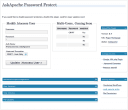 WordPress plugin gives you control over HTTP Basic Authentication for your WordPress blog which among other things, stops most automated hacking attempts and exploits being attempted, cutting down on the number of requests, connections, and mysql queries for all WordPress blogs on the Internet.
WordPress
These are a few of the mod_rewrite uses that BlogSecurity declared pushed the boundaries of Mod_Rewrite! Some of these snippets are quite exotic and unlike anything you may have seen before, also only for those who understand them as they can kill a website pretty quick.
Htaccess Htaccess mod_rewrite RewriteCond RewriteRule wordpress
Part deux of Want to know how to really hack? Originally Posted: 12/28/2003
Hacking
Ok, so on a site like this one, there is a tremendous amount of 'code' styled with CSS fonts in a pre, code, var, tt, samp, or kbd html tag. When using an programming tool like VIM to write code it is shown beautifully using your OS fonts. So then, how can we get that same font beauty to be there on the web? And, of course the solution must use best-practices (and preferably only use CSS and (X)HTML).
Also, text effects! --> View Solution
CSS font Google
Look at the text "askapache". That's pretty boring huh? It would be cool to have a nerdy textual representation of that for extra nerdy stuff like styling my /robots.txt file, email list signatures, forum sigs, etc. But who has time to create that by hand? If only there were an online tool to create it..
Bam.
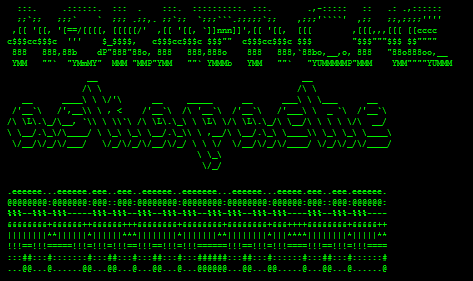
Web Design
SOPA: Anonymous Lists Their Demands
A rallying cry on the occassion of the Web's first mass blackout
As we watch the web go dark today in protest against the SOPA/PIPA censorship bills, let's take a moment and reflect on why this fight is so important. We may have learned that free speech is what makes America great, or instinctively resist attempts at silencing our voices. But these are abstract principles, divorced from the real world and our daily lives.
Free speech is the foundation of a free society. We can have the vote all we want. We can donate money wherever we want. But unless we're able to talk to each other and figure out collectively _what_ we want, those things don't matter.
We believe a healthy society doesn't allow its artists, musicians and other creators to starve. The copyright industry has been justly criticized for abusing the political process in a desperate attempt to maintain its role as a cultural gatekeeper, a business model made obsolete by a digital age of free copies. But the RIAA, MPAA & IFPI deserve our opprobrium for making enormous profits while often leaving the very artists it claims to represent *poorer* than they would be as independents.[1] While the public may have greater access to the few artists deemed sufficiently marketable to gain mass media promotion, fewer and fewer of us are making art and music in our own lives.
We call upon all freedom loving Internauts to join us. We further call upon our legislators, bureaucrats and the media & telecommunications industries to immediately begin implementing our demands. The future of free speech is bright, and clear - either stand with us or get out of the way.
PirateBay Press Release regarding SOPA...
So, the whole basis of this industry, that today is screaming about losing control over immaterial rights, is that they circumvented immaterial rights. They copied (or put in their terminology: "stole") other peoples creative works, without paying for it. They did it in order to make a huge profit. Today, they're all successful and most of the studios are on the Fortune 500 list of the richest companies in the world. Congratulations - it's all based on being able to re-use other peoples creative works. And today they hold the rights to what other people create. If you want to get something released, you have to abide to their rules. The ones they created after circumventing other peoples rules.
The reason they are always complainting about "pirates" today is simple. We've done what they did. We circumvented the rules they created and created our own. We crushed their monopoly by giving people something more efficient. We allow people to have direct communication between eachother, circumventing the profitable middle man, that in some cases take over 107% of the profits (yes, you pay to work for them). It's all based on the fact that we're competition. We've proven that their existance in their current form is no longer needed. We're just better than they are.
Hacking Anonymous PirateBay SOPA
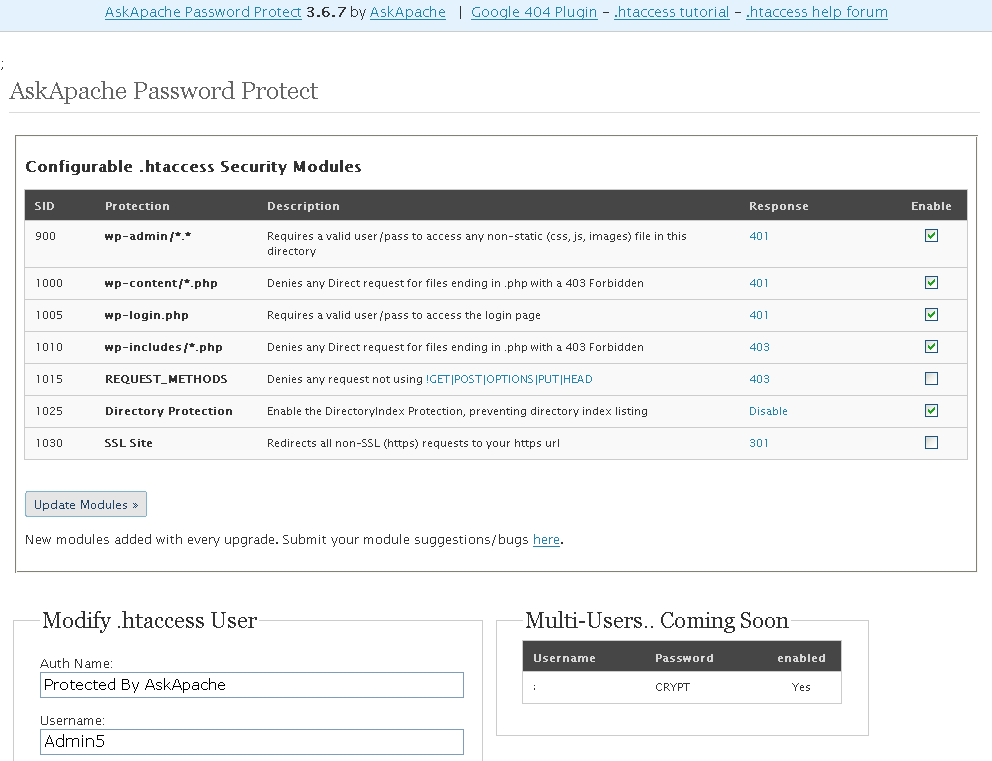
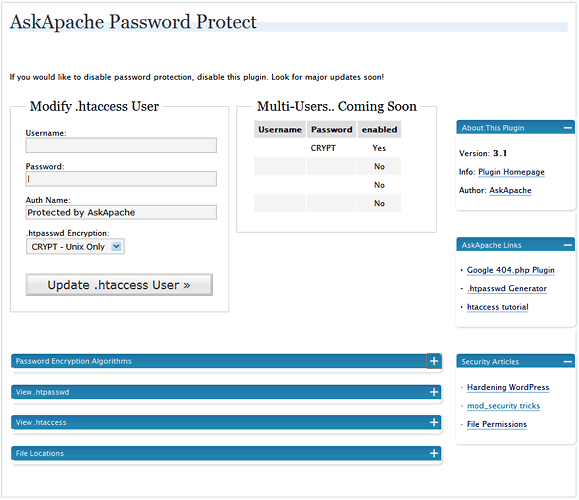
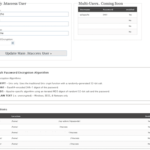 AskApache Password Protect adds some serious password protection to your WordPress Blog. Not only does it protect your wp-admin directory, but also your wp-includes, wp-content, plugins, etc. plugins as well. Imagine a HUGE brick wall protecting your frail .php scripts from the endless attacks of automated web robots and password-guessing exploit-serving scripts.
WordPress .htpasswd Htaccess Password wordpress
 Google Analytics for your clients sites is a no-brainer, it ROCKS! I have 100+ client sites running Analytics and all of them have trouble-free (no password or username to remember) access to their site reports. Thanks to the method in this post, my clients couldn't be happier..
Google
 FallBackResource is a great alternative to using mod_rewrite to direct Apache to send all requests for non-existing files/directories to a script in WordPress. Htaccess and Server Config enabled.
Apache, httpd 2.4 FallbackResource Htaccess mod_dir mod_rewrite RewriteBase RewriteRule wordpress
As a security nut myself, and also a Linux admin, one of my biggest pet peeves is when I've taken the time and care to segment all the users on a server into separate home directories, and then some developer comes along, logs in as root, and changes the ownership of files. Other things can cause this, like Apache, PHP, Mutt, etc.. So I've always used a cron job that executes daily (and on demand) which automatically fixes all the permissions back to what they should be.
Linux bash chmod chown cron linux permissions shell
 The Admin Bar in WordPress is always shown when in the backend administration area no matter what.
You are given the option to show/hide the admin bar when viewing the site, but there is no option to show/hide the admin bar when using the backend... So I created a plugin to provide that option on profile pages.
Why hide the admin bar in backend?
Normally I like the admin-bar and usually have it enabled, but it's nice to be able to switch it on/off from the "Edit Profile" page. The biggest reason for not loading/showing the admin_bar in the backend is SPEED. Here are 2 instances where I hide it-
· Sites with many authors/admins
· Moderating Comments on a Mobile Phone
WordPress PHP WordPress Plugin
 Ultimate Redirect Cheatsheet for multiple programming languages. Redirecting Users with Javascript redirect, meta refresh redirect, and php redirect, also htaccess methods, python, coldfusion, asp, perl, etc.
Htaccess 301 Htaccess Redirect URL redirection