Unicode Character Reference

Just a quick reference to all those delicious unicode characters and how they render on the web‽‽
Just a quick reference to all those delicious unicode characters and how they render on the web‽‽
 PHP's fsockopen function lets you open an Internet or Unix domain socket connection for connecting to a resource, and is one of the most powerful functions available in the php language.

 3-Part article covering practical implementation of 3 advanced .htaccess features. Discover an easy way to boost your SEO the AskApache way (focus on visitors), a tip you might keep and use for life. Get some cool security tricks to use against spammers, crackers, and other nefarious sorts. Take your site's error handling to the next level, enhanced ErrorDocuments that go beyond 404's.
If you examine the preferences dialog of any modern Web browser (like Internet Explorer, Safari or Mozilla), you'll probably notice a 'cache' setting. This lets you set aside a section of your computer's hard disk to store representations that you've seen, just for you. The browser cache works according to fairly simple rules. It will check to make sure that the representations are fresh, usually once a session (that is, the once in the current invocation of the browser).
 Advanced Web Development by AskApache is a Firefox Collection I created since I'm always trying new Addons out and using multiple computers and I wanted a quick and easy way to install my favorite's and keep a running list. Firebug, YSlow, LastPass, and Web Developer are the only ones I always use regularly.
I like the idea of the last.fm but it's not as powerful as the site, which is awesome. Lately listening to Kings of Leon Radio...
While researching a unix/linux tool awk I came upon one of the most thorough and helpful tutorials I've ever seen devoted to a particular topic. It's old-school just the way I like it. I contacted the author, Bruce Barnett because I just HAD to have this article for my readers, who are predominantly running solaris/unix/bsd/linux and he kindly gave permission.
To prepare for several upcoming articles on AskApache that are focused on optimizing Servers and Sites from a server admin level, here is an article to introduce the main tools that we will be using. These tools are used to optimize CPU time for each process using nice and renice, and other tools like ionice are used to optimize the Disk IO, or Disk speed / Disk traffic for each process. Then you can make sure your mysqld and httpd processes are always fast and prioritized.
 I used to have a problem of controlling flash elements on my sites.. On one site we have 6 different flash flv movies that are all the same size and are in the same position on the page. But only 1 is displayed at a time based on what the user wants to watch. So the selected flash movie needs to have the highest stacking order/zIndex.
Its really nice to be able to print out a webpage you are reading using your browsers built-in print feature. Using CSS you can easily transform your site into a print-friendly site.
Today I received an email from a visitor to my site requesting that I add a way to print site articles on AskApache
Apache Security tips and tricks for securing Apache Web Servers using htaccess, httpd.conf, and other built-in techniques to thwart attackers. This really should be required reading for any Apache admin or user because these little tricks are so easy to do.
Using FastCGI on DreamHost and .htaccess
 Google AdSense calles their AdSense Ads, "Sponsored Links", while Text-Link-Ads.com recommends "Sponsored By". Of course it is against the Google Adsense TOS to rename your ads, but in general, for non-adsense, what do you like to call your sponsored links?
Here's an example of validation links from the AskApache footer.
RSS | XHTML 1.1 | CSS 2.1
document.getElementById("validat").innerHTML += ' | <a href="http://feedvalidator.org/check.cgi?url=https://www.askapache.com/feed/">RSS</a> | <a href="http://validator.w3.org/check/referer?ss=1;outline=1;sp=1;debug">XHTML 1.1</a> | <a href="http://jigsaw.w3.org/css-validator/check/referer?warning=0">CSS 2.1</a>';
There are so many WordPress plugins out there now that I wanted to post my favorite 3 plugins for speeding up a WP-Powered blog. These are the 3 plugins that I install for pretty much all of my WP-Powered sites, which I run about 300 now. They work together to provide a very optimized blog for speed.
DB-Cache Reloaded does something entirely different, it saves the mysql queries that are made to the WP-database, as well as the mysql results to static files, and then through php serves those cached-files instead of re-querying the mysql database. Most mysql databases are stored on separate servers, and although many are on the same local network there is a limit to how many queries, and how many connections can take place.
So DB-Cache Reloaded basically makes WP-Super Cache work alot faster when generating the cache files, and DB-Cache Reloaded helps in a number of areas un-related to WP-Super Cache, like in the admin panel. And DB-Cache without WP-Super-Cache is a joke because it still uses the application-level and php for everything. Gotta use both (or just WPSC).
Mod_Security rivals Mod_Rewrite in the amount of features it provides. I decided to go ahead and post what I learned about it today, even though its tough to give away such awesome htaccess and apache tricks.. Learn how to control spam once and for all, conditionally log/deny/allow/redirect requests based on IP, username, etc.. Mod_Security is so fine!
After I optimized the caching for my non-dynamic pages using apache modules mod_headers and mod_expires, I began to learn about phpbb seo..
The bottom line for this article is that I want to make WordPress as fast, secure, and easy to install, run, and manage because I am using it more and more for client production sites, I will work for days in order to solve an issue so that I never have to spend time on that issue again. Time is money in this industry and that is ultimately (time) what there is to gain by tweaking WordPress.
Note: I spent no time on readability, this is primarily a read the code and figure it out article.. This is for advanced users looking for a reference or discussion and for those of you looking to advance. Feedback would be great if you make it that far..
 Time-dependant rewriting uses mod_rewrite and apache server time variables to display different files depending on the time, while the URL stays the same. An often requested implementation of this is to display a different home page or image depending on if its morning, noon, or night.
Get the monthly newsletter —
the Free Software Supporter
Become a member of the Free Software Foundation today to help us reach our goal of $450,000 by January 31st.
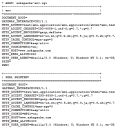 My improved version of the common printenv / test-cgi scripts for debugging Apache environment variables set in .htaccess files
 htaccess rewrite Master Class! If you understand the basics of mod_rewrite, or if you literally write the mod_rewite.c code, this article will transform your thinking. The transformation is profound. Deeply effective. Culmination of the best of the best mod_rewrite tricks for understanding and learning exactly what rewrite is doing.
This is all new, experimental, and very very cool. It literally uses .htaccess techniques to create several virtual "locked gates" that require a specific key to unlock, in a specific order that cannot be bypassed. It uses whitelisting .htaccess tricks to specify exactly what is allowed, instead of trying to specify everything that isn't allowed. Also, by setting specific cookies/tokens after successfully passing through a gate, we can then require the exact cookie/token from the previous gate, which stops an attacker from skipping or bypassing gates.
A hit-list of some of my favorite mod_rewrite code snippets for .htaccess files
Some of my favorite htaccess examples from some of my favorite .htaccess tutorials. These cut-and-paste ready htaccess code snippets are very useful for website and server administrators.
FYI, using the Mod_Rewrite Variables Cheatsheet makes this example, and all advanced .htaccess code easier to understand. This demo lets you set a cookie with 1 of 3 values, then you just request the pdf file with a normal link click and get 1 of 3 different responses. This is accomplished with a nice bit of .htaccess code.
Set PDF Viewing Mode - Make a selection, then click the view pdf button.
Inline Download Save As View PDF using selected mode »
 What I used to do when I was still learning CSS was to check the web page in each of the various problematic browsers to make sure the display stayed the same. I have several actual machines and several vmware virtual machines running various browers but I decided to skip all that extra time and effort and just use an online tool to do it for me. The tool views my page in all the various browsers and generates a screenshot image from each browser so that I can see if there are issues with my CSS.
How I was able to preload many flash flv and swf files on one of my clients sites that has a lot of online video and relatively small traffic. Their site visitors would usually watch 3-10 videos per visit and so to make the videos load almost instantly on every page I came up with a way to preload the top 10 .flv files and the swf flv player files as soon as the visitor successfully started watching the 1st video. Of course I also setup .htaccess caching on the server so that once they downloaded the files into their cache they would never request them from the server again. I was having fun with this so its pretty funky and uses some really cool combinations of javascript, swf preloader from xml, css classes to help automate it all..
Server and Environment Variables are used by The Apache HTTP Server by provides a mechanism for storing information. This information can be used to control various operations such as logging or access control.
Links to htaccess tutorials and howtos in the htaccess forum
 Just a very brief look at speeding up form submission by delegating the processing and bandwidth to your server, not your client.
Apache .htaccess Directives and Loaded Modules allowed on DreamHost Apache Server 2 Setups.
