WordPress .htaccess in-depth
 WordPress uses a file named
 .htaccess to rewrite all requests to the main index.php file. This article explains what the htaccess file rules look like and what they actually do.
WordPress uses a file named .htaccess to rewrite all requests to the main index.php file. This article explains what the htaccess file rules look like and what they actually do.
 .htaccess is a very ancient configuration file for web servers, and is one of the most powerful configuration files most webmasters will ever come across. This htaccess guide shows off the very best of the best htaccess tricks and code snippets from hackers and server administrators.
You've come to the right place if you are looking to acquire mad skills for using .htaccess files!
thought I'd take a break from coding and post about how open-source is such a great tool for finding the best answers to the toughest questions,
/** is the status code informational */
#define ap_is_HTTP_INFO(x)         (((x) >= 100)&&((x) < 200))
/** is the status code OK ?*/

#define ap_is_HTTP_SUCCESS(x)      (((x) >= 200)&&((x) < 300))
/** is the status code a redirect */
#define ap_is_HTTP_REDIRECT(x)     (((x) >= 300)&&((x) < 400))

/** is the status code a error (client or server) */
#define ap_is_HTTP_ERROR(x)        (((x) >= 400)&&((x) < 600))
/** is the status code a client error  */

#define ap_is_HTTP_CLIENT_ERROR(x) (((x) >= 400)&&((x) < 500))
/** is the status code a server error  */
#define ap_is_HTTP_SERVER_ERROR(x) (((x) >= 500)&&((x) < 600))

/** is the status code a (potentially) valid response code?  */
#define ap_is_HTTP_VALID_RESPONSE(x) (((x) >= 100)&&((x) < 600))
Comprehensive .htaccess example file with advanced examples in 1 htaccess sample skeleton .htaccess file with the very best apache htaccess examples... Updated frequently based on detailed info from the Apache htaccess tutorial.
 Here is even more information from the Ultimate Htaccess Part I. For now this is very rough and you will want to come back later to read it.
 So my blog as been rather quiet for almost a year now, and very few updates if any have been released for my Password Protection PLugin, my Google 404 Plugin, and definately not for my AskApache CrazyCache plugin, which I will be releasing last... So for all of you who've helped me out by sending me suggestions and notifying me of errors and sticking with it... Just wanted to say sorry about that, and thanks for all the great ideas.. Well, I've been sticking with it as well believe it our not. I manage to get free days once in a while, and then its time to jam.
 htaccess rewrite Master Class! If you understand the basics of mod_rewrite, or if you literally write the mod_rewite.c code, this article will transform your thinking. The transformation is profound. Deeply effective. Culmination of the best of the best mod_rewrite tricks for understanding and learning exactly what rewrite is doing.
mod_rewrite is very useful in many situations. Yet some behaviors were not so obvious when I started to mess with it. After many testings, I understand it much better, now. Having said that, I do not pretend to know it perfectly. I also make mistakes.
Using FastCGI on DreamHost and .htaccess
SSLOptions +StrictRequire
SSLRequireSSL
SSLRequire %{HTTP_HOST} eq "google.com"
ErrorDocument 403 https://google.com
Some of the Ins and Outs of using SSL Connections with Apache.
 Ultimate Redirect Cheatsheet for multiple programming languages. Redirecting Users with Javascript redirect, meta refresh redirect, and php redirect, also htaccess methods, python, coldfusion, asp, perl, etc.
Fighting Blog Spam with Apache htaccess and other methods.
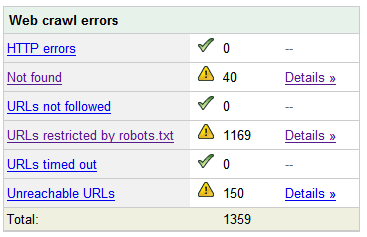 Nifty SEO tip to get Search Engine Bots to check your site every hour until you finish working on it and tell them you are finished.
 Time-dependant rewriting uses mod_rewrite and apache server time variables to display different files depending on the time, while the URL stays the same. An often requested implementation of this is to display a different home page or image depending on if its morning, noon, or night.
 Want to block a bad robot or web scraper using .htaccess files? Here are 2 methods that illustrate blocking 436 various user-agents.
This is all new, experimental, and very very cool. It literally uses .htaccess techniques to create several virtual "locked gates" that require a specific key to unlock, in a specific order that cannot be bypassed. It uses whitelisting .htaccess tricks to specify exactly what is allowed, instead of trying to specify everything that isn't allowed. Also, by setting specific cookies/tokens after successfully passing through a gate, we can then require the exact cookie/token from the previous gate, which stops an attacker from skipping or bypassing gates.
 Learn how to make YOUR DreamHost promo codes work much better for YOU! This is not about promo-codes, this is about a simple method you should implement.
FYI, using the Mod_Rewrite Variables Cheatsheet makes this example, and all advanced .htaccess code easier to understand. This demo lets you set a cookie with 1 of 3 values, then you just request the pdf file with a normal link click and get 1 of 3 different responses. This is accomplished with a nice bit of .htaccess code.
Set PDF Viewing Mode - Make a selection, then click the view pdf button.
Inline Download Save As View PDF using selected mode »
This past week I updated my sites apache.css file for a site-redesign. I wanted to make changes to the .css file that only I could see, so that my regular traffic and site-visitors would still see the old version. Here's the elegant solution I came up with using .htaccess and mod_rewrite that works so well I'm sharing it with all you wonderful and incredible people reading my blog :)
Some of my favorite htaccess examples from some of my favorite .htaccess tutorials. These cut-and-paste ready htaccess code snippets are very useful for website and server administrators.
These are a few of the mod_rewrite uses that BlogSecurity declared pushed the boundaries of Mod_Rewrite! Some of these snippets are quite exotic and unlike anything you may have seen before, also only for those who understand them as they can kill a website pretty quick.
A hit-list of some of my favorite mod_rewrite code snippets for .htaccess files
Web Developers sometimes use file.ext?v=004 as a version control system to force visitors to use updated files. This is terrible. Instead link to apache-003.css and set it to be cached forever. When you change the file you just change the links to apache-004.css. That eliminates millions of bandwidth and resource robbing If-Modified-Since requests. You only need Apache with mod_rewrite, and 1-10 minutes!