PullQuotes using CSS
 I looked at a lot of different ways to display quotes and pullquotes and even though the javascript solutions are very nice, esp. the 456bereastreet.com solution, I decided to just use CSS (Keep It Simple Stupid).
I looked at a lot of different ways to display quotes and pullquotes and even though the javascript solutions are very nice, esp. the 456bereastreet.com solution, I decided to just use CSS (Keep It Simple Stupid).
Sometimes there is an urgent need for creating an exact duplicate or "mirror" of a web site on a separate server. This could be needed for creating Round Robin Setups, Load-Balancing, Failovers, or for just plain vanilla backups. In the past I have used a lot of different methods to copy data from one server to another, including creating an archive of the whole directory and then using scp to send the file over, creating an archive and then encrypting it and then sending that file over using ftp, curl, etc., and my persistence at learning new ways to do things has paid off because now I use rsync to keep an exact replica of the entire directory on an external server, without having to use all the CPU and resources of other mirroring methods.
 The secrets in this post were really more of enlightening bits of seo wisdom. The secret is how to combine robots.txt with meta robots tags to control pagerank, juice, whatever.
 Google's Search Engine Hosting Servers automatically provide Internet users all over the world with a "localized" version of the incredible Google Search Engine that we know and love.
htaccess vs. httpd.conf
NOT a typo.. 30x is measurable, well-documented, and easily tested. This is what open-source is about. I haven’t had time to post much the past year, I'm always working! So I wanted to make up for that by publishing an article on a topic that would blow your mind and be something that you could actually start using and really get some benefit out of it. This is one of those articles that the majority of web hosting companies would love to see in paperback, so they could burn it.
 This is a big update from the last time I looked into this, when I enumerated 57 Status Codes that Apache 2.x was capable of handling. This list contains 83 Status Codes recognized by Apache. I compiled the latest 2.4.4 Apache in order to view the actual codes sent by a live server.. very cool. You can read about the newest HTTP Status Codes in RFC 6585.
Comprehensive .htaccess example file with advanced examples in 1 htaccess sample skeleton .htaccess file with the very best apache htaccess examples... Updated frequently based on detailed info from the Apache htaccess tutorial.
How to password-protect, Allow or Deny a visitor based on a condition. If you are having trouble getting htaccess-based password protection to work see: Troubleshooting htaccess Authentication: Getting it to work
 Advanced Web Development by AskApache is a Firefox Collection I created since I'm always trying new Addons out and using multiple computers and I wanted a quick and easy way to install my favorite's and keep a running list. Firebug, YSlow, LastPass, and Web Developer are the only ones I always use regularly.
I like the idea of the last.fm but it's not as powerful as the site, which is awesome. Lately listening to Kings of Leon Radio...
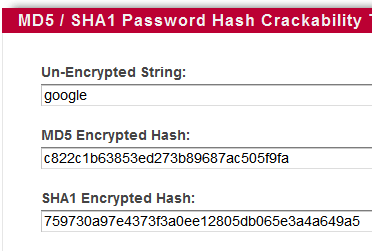 I've put up a new tool to check the strength of your password hash, that locates weak passwords by searching Rainbow Tables for md5 or sha1 hash match. Locate and fix this common security vulnerability before being exploited.
 If you have a Powweb Webhosting account, you will appreciate this simple skeleton .htaccess file for use on their systems.
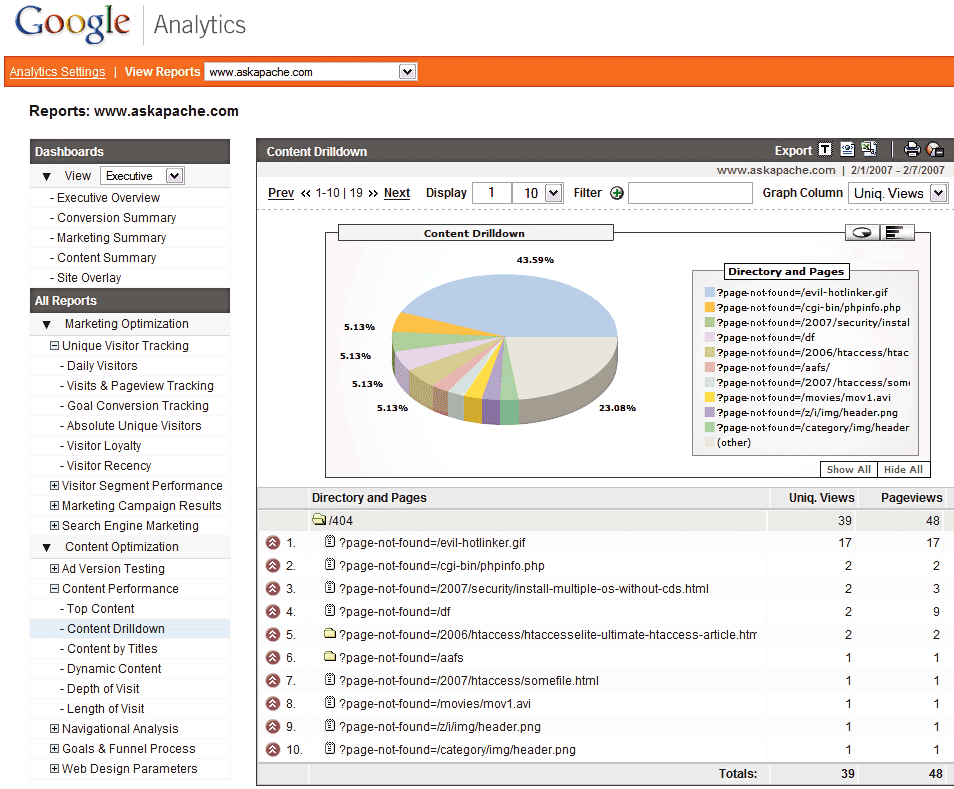 Advanced 404 Not Found Error page usage with Google Analytics. This makes it very easy to diagnose and keep track of 404 Error messages from within google analytics. Enjoy!
Fast, HTTP Protocol, protection. If you are reading this article, you already know enough about the benefits of making sure your site can handle HTTP Protocol Errors. This is a nice single php file with no dependencies or requirements, will work on anything. Optimized for minimizing bandwidth and resource-hogging connections from bots and spambots.
<?php
ob_start();
@set_time_limit(5);
@ini_set('memory_limit', '64M');
@ini_set('display_errors', 'Off');
error_reporting(0);
This is all new, experimental, and very very cool. It literally uses .htaccess techniques to create several virtual "locked gates" that require a specific key to unlock, in a specific order that cannot be bypassed. It uses whitelisting .htaccess tricks to specify exactly what is allowed, instead of trying to specify everything that isn't allowed. Also, by setting specific cookies/tokens after successfully passing through a gate, we can then require the exact cookie/token from the previous gate, which stops an attacker from skipping or bypassing gates.