A better way to use PDF files online
 One of the most annoying things on the Internet for me is when I click on a link to an Adobe PDF file. For me this is annoying to the extreme because the PDF file is openened directly in your browser because of the Adobe PDF Plugin that almost all browsers have installed. If the PDF is multi-page or a larger file my browser takes forever to load and render the PDF and sometimes even freezes!
The solution I came up with is really nice, and will work for all .pdf files on your entire site, without having to change any links. It is a secure and robust solution to my pet peeve. Feel free to add any ideas or improvements using the comment form below.
Serving PDF files for Visitor Satisfaction
For me an ideal solution would be to offer me choices, such as giving me the option to:
- Open in an external program that I can choose, such as Acrobat
- Save the file on my computer without having to open it.
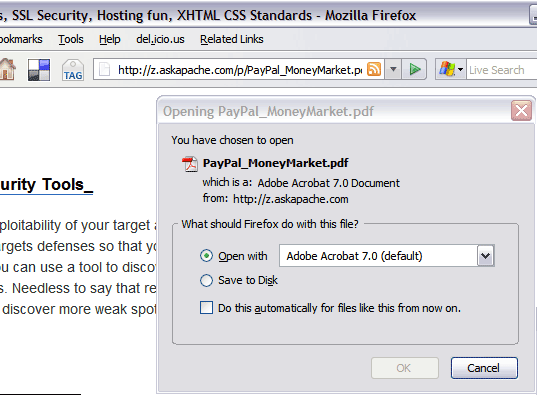
PDF Before and after Fix - Firefox

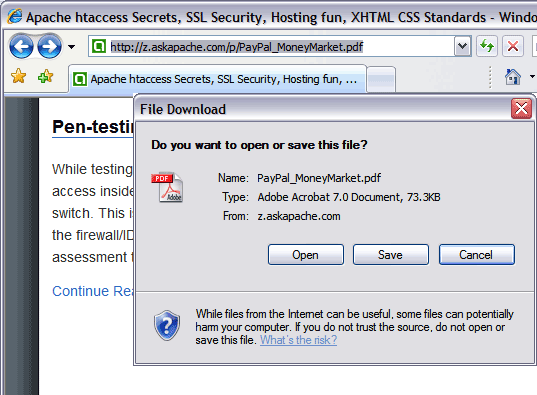
PDF Before and after Fix - Internet Explorer

Because serving PDF files with the above options would make me happy as a visitor, I want to offer those options to visitors on my site. Here is how I do it.
.htaccess pdf rewrite example
This .htaccess mod_rewrite code goes in your sites root .htaccess file and uses a RewriteCond to make sure that the file exists, it then rewrites the request internally to the /cgi-bin/pdf.php file while adding the PDF filename as a http GET variable called file.
RewriteEngine On
RewriteBase /
RewriteCond %{REQUEST_FILENAME} -f
RewriteRule ^(.+).pdf$  /cgi-bin/pdf.php?file=$1 [L,NC,QSA]
php pdf output example
This php code is simple yet sophisticated, it simply locates the pdf file requested using the GET variable called file and then sends the pdf file directly to the clients browser, adding some HTTP headers to make a built-in browser dialog window pop-up giving the client the option to open the pdf in an external program or to save the pdf on the clients computer.
Final Working Example
« The Latest and Greatest php.iniTips on Writing WordPress Plugins »
Comments