Undetectable Sniffing On Ethernet
Originally Posted: 2003/04/15
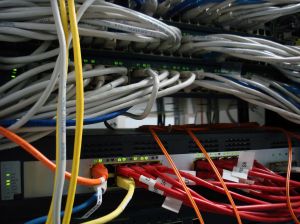 This article is NOT about promisc network interfaces, it is about passively sniffing data off the wire without sending/transmitting any data out onto the wire. No transmitting, just receiving. I have been in some tight spots where I had to sniff data off the wire, like a password or username, or capture some packets off the wire and programmatically preform actions based on the captured packets.
Unexpectedly, I stumbled on a method to passively capture packets from the wire without transmitting packets. This is surprising because it is achieved using only software and not messing with the hardware, which is the normal way to passively sniff packets. I've only achieved this running various flavors of linux and BSD.
Note: You may be looking for ethernet capture implementations using the best open source network debugging tool ever created, WireShark
Commands to become undetectable on linux/BSD
Bring up the ethernet interface with no IP address and arp ignore mode (stealth mode).
$ ifconfig eth0 hw ether 00:00:00:00:00:00 promisc
$ ifconfig eth0 -arp up
Delete the inet and inet6 address, prevent stack routing.
$ route -nv // should produce nothing, same with netstat -r
what does this do?
- You can't route packets to an interface without an entry in the routing table.
- You can't create an entry in the routing table without an IP address assigned to the interface.
Packet Capture Software
Capture all the packets that pass the wire using Wireshark, the ONLY packet capturing tool I recommend. I also like using tethereal in a shell script and egrep the output for something I'm looking for:- a basic authorization string
- a certain bootfile being called using tftp
- spanning trees and switch communication
- etc.
Caveats and Notes
I did notice that after I had received 490MB of data on my eth0 device, it actually did say that it had Transmitted 12bytes.. so this method is not 100% silent, but without a route or an address it can't really write data anywhere, so I'm still wondering where those 12bytes went. I suppose you could create a dummy device in a chroot or something and pass the output from your promisc NIC to the dummy which would route the packets along a GRE or a wireless device or something. I will try something like this for a syslog server.NOTE: You should also check out the Arp stuff article for more in-depth info about this topic.
Q&A: from a forum discussion
i'm not that familar with linux, so i don't know if you corrected this with one of these commands, but aren't there many tools that simply check if the ethernet interface is in promisc. mode? so what's undetected about this?Those tools are very easily circumvented. The reason is that they rely on set patterns of behaviour that are common to programs like nmap, ettercap, etc.. This method circumvents every single one of them. Most of those progs rely on sending arbitrary data across the wire and looking for set patterns of replies that indicate a promisc eth. The simple thing about this method is that you are basically stripping the IP stack of its fallback or default settings. If you understand the definition of promisc mode, and understand how the IP stack in all major OS's use routeing, arp, MACs, and basic TCP/IP 101, the concept doesn't seem special. The key is really that the listening promisc interface has no address, has no routes to any networks or hosts. An ip stack set up this way is not a like a listening service. Its more like a logging host in a honeynet with the TX wires cut off.
Something about passive sniffing: etheral mailing list
If you sniff passive you dont send any data frames? All i know is that a switch only send data based on mac address (and recv port). Where a hub just sends it out to everyone. So how would you start sniffing (on a switch) without doing smth like arp poising (sending data frames)? Also, your MAC and ip gets sent out every x seconds by ARP requests right? Or did i misunderstood the question?
00:00:00:00:00:00 - this is not an invalid mac address? Are you sure you can sniff other computers with this configuration? (diferents computers like yours)
You definately could NOT use this method to use an active sniffing program like ettercap or perform an mitm or something, the whole goal of this method is to NOT transmit a single byte.
The reason you set the mac to 00:00:00:00:00:00 is the same reason you could also set the mac to aa:bb:cc:dd:ee:ff there are a lot of UPnP devices and other types of devices out there that use this mac address as a form of default. The point is just to change your mac to anything other than your real mac so that an IDS or system admin doesn't see you. Thus, undetected sniffing.
If an admin or IDS saw 12 packets (as in my example) originating from 00:00:00:00:00:00 or aa:bb:cc:dd:ee:ff do you think he would pull out all the stops and think there is someone eavedropping? Of course not.
And yes, I have used this method on knoppix, archlinux, slackware, and FreeBSD. Of course, the differences in ifconfig in different distros need to be taken into account, and you can figure it out for yourself on your own distro by checking out your ifconfig man page.
man -a ifconfig
i would suggest plugging off pathc cord just before and do like thatI haven't used p0f for about 6 years.. When I used it was just a passive way to detect the OS/versions of a host. It was still pretty beta back then though. Yes I have overloaded several switches CAM tables adn turned it into "HUB" operating mode.. But man is that ever loud! The ISP called me up and asked me if I knew anything about 2 GIGs of data being sent out from my port on the switch.. (layer 2) .. Really the best way In my experience is arp poisoning. Ettercap has the basics included in their program. I have also had the experience of literally shutting down a switch from flooding the CAM.. you never really know what will happen. It's usually not in your favor. Also, if you start arp poisoning RIGHT after a power-outage (whether you shut off the power or it just went out) a lot of times you have a 15-45 second window where the switches will be acting like HUBs.. If you can poison some key targets in different network segments before the switch starts switching, you can really drop the normal restrictions. Oh and you can also turn off your arp using ifconfig.ifconfig eth0 down #UNPLUG CORD ifconfig eth0 hw ether AA:BB:CC:DD:EE:FF ifconfig eth0 #PLUG IN CORD ifconfig eth0 upand then try to look for outgoing packets. Check for promisc:ifconfigI would also suggest filling up switchs memory to make it act like a regural HUB so u will be able to sniff with normal oldstyle IP sniffers. You can sniff over switch by filling up its temporary MAC addr table. Then switch to work correctly (from its view its just overload) has to send data to every port just like HUB , and then u r at home. Also check out passive network scanning software: p0f by Lcamtuff, check it out
$ ifconfig eth0 -arpBut When you use the method outlined above, of course your NIC never sends out arp requests.. That is the whole point of NOT having an ipv6 or ip address.. and that is also why this method dictates NO ROUTES in the kernel or userland. Your NIC and ip stack just doesn't have any body to send the arps to! If you aren't connected to any networks, how can it send a broadcast? And if you don't have an IP address, where would the arp tell everyone to reply to? See what I mean? The MAC address being set to a non-suspicious looking address is just to slip by as a network anomololy instead of actually looking like a roque MAC. In general though, I was talking about using this technique to splice into the wire at an uplink spot. So If I wanted to capture the router passwords for my apartment complex, I would find the router and use a portable hub to connect my packet-sniffing computer in-between the router and the modem or uplink. Then I would call tech-support about something and watch them log into the router.. then I have the password and its almost detectionless because it is completely passive. I would say that my absolute favorite tool for hacking switches (we are basically just talking about layer-2's) is hping. I also like nc, socat, vconfig, and dsniff was always fun but its really out of date now, ettercap is probably the king of automated switch hacking, its just not as much fun automated.. I'm sure you are also aware of the fun you can have with port-stealing. This is where you actually make the switch believe that you are coming in from a different port. Its pretty simple but a little harder than arp-poisoning. Most of my experience comes from circumventing vlans and hacking my way into switches on differnet network segments and on differnent vlans. Man talk about off-topic!
Now I got ur point, sorry I ,misunderstood at first totaly agree that ettercap is king nowadays and is most up to date. Anyways , I was always thinking in a little different way, I mean something like "fog cover". IMO its better to spoof MAC and act as other regular user instead run all loud and silent techniques. But your idea is very interesing. Anywayz i think that there will be always something sent to the wire. As a first example that comes to my mind is link speed detection with NLP and FLP.Thanks but its not an idea.. its a field-tested technique. Also, in my humble opinion, spoofing another host on the network is for newbies, unless you don't mean just spoofing their MAC and IP. Because that is a really fast way to get caught where I come from. And it only takes 1 single command from a nix. Yes when I first started hacking into switches I was also operating under the assumption that if I spoofed a MAC address and mimicked an allowed machine that was somehow a good thing. First thing I realized was that before I could pretend to be a machine, I had to take that machine offline. If you are lucky and its running windows, that is no problem, you can run any number of techniques against a windows box and take it down. Of course, taking down a host, whether by exploits or DoS is an entirely differnet topic, and I won't go there here. The second thing I learned was about layer 2 and layer 3 switching.. and the huge differences between those and layer 1 switches. Mostly I deal with layer 2 switches. But pretending to be a machine is really an entirely different and lengthy topic, and I won't go there now. It is relevant to the question about port stealing, since that is in essence where I turned after those realizations, and where I began finding more success.
First thing I realized was that before I could pretend to be a machine, I had to take that machine offline. If you are lucky and its running windows, that is no problem, you can run any number of techniques against a windows box and take it down. True, but why just scan whole subnet for MAC & IP and few hours later just use one of these that are offline.Actually you are right, good point. I guess the point I wanted to make was that attacking the switch directly, and not relying on spoofing another host, is the best way to go and where I found most of my success. It seems theoretically like a very logical way to attack a switch or even another host, but the fact is, when dealing with layer 2 or layer 3 switches, this will not give you any edge and will just waste your time and most likely tip off an admin to your attempts. Of course, my experience is really pretty limited to switches that are using port security, which includes vlans, but really just basic port security, where each port on the switch is locked down to a particular mac address, and important routes are static. That is where my experience is at, hacking layer 2 switches with port security ON, and also hacking layer 2 switches with port security ON and VLANs active. So for easier targets, spoofing another host could work quite well, especially where port security is OFF or the switch is not configured securely or layer 1 switching. I was referring to port security, vlans, trunking, CAM tables, etc.. but mostly just referring to the security mechanisms at play in layer 2 switches vs layer 1. And even layer 2 switches that are configured securely, vs those that are not.
Commands to become undetectable on Windows NT/W2K/XP
NOTE: You are at your own risk if you follow these instructions. Editing your registry is DANGEROUS and should be done with extreme caution. Follow these steps at your OWN risk.- Get your device's hex value. ('snort -W' works for this)
- open Regedt32
- Navigate to: HKEY_LOCAL_MACHINE$backslash$SYSTEM$backslash$CurrentControlSet$backslash$Services$backslash$Tcpip$backslash$Parameters$backslash$ Interfaces$backslash${XXXXXXXX-XXXX-XXXX-XXXX-XXXXXXXXXXXX}
- Select the network card you wish to setup as the monitoring interface (this will be the {XXXXXXXX-XXXX-XXXX-XXXX-XXXXXXXXXXXX} value).
- Set IPAddress:REG_MULTI_SZ: to null (Double click on the string, delete data in the Multi-String Editor, then click OK)
- Set SubnetMask:REG_MULTI_SZ: to null (Double click on the string, delete data in the Multi-String Editor, then click OK)
- Set DefaultGateway:REG_MULTI_SZ: to null (Double click on the string, delete data in the Multi-String Editor, then click OK)
- Close the Registry Editor, your changes will be saved automatically.
- In a command prompt, run 'ipconfig' to verify the interface does not have an IP bound to it.
External Links
- Capturing on Ethernet Examples and Diagrams
- Construction and Use of a Passive Ethernet Tap
- Switch Sniffing Article LJ
- Wireless Forensics: Tapping the Air - 2007
- Ettercap :: ARP Poisoning HowTo
- Stealthful Sniffing, Intrusion Detection and Logging
- In Search of a Sniffer
NSA Anonymous Sniffing Techniques
Statement
--Mark Klein, April 6, 2006My Background:
For 22 and 1/2 years I worked as an AT&T technician, first in New York and then in California.What I Observed First-Hand:
In 2002, when I was working in an AT&T office in San Francisco, the site manager told me to expect a visit from a National Security Agency agent, who was to interview a management-level technician for a special job. The agent came, and by chance I met him and directed him to the appropriate people. In January 2003, I, along with others, toured the AT&T central office on Folsom Street in San Francisco -- actually three floors of an SBC building. There I saw a new room being built adjacent to the 4ESS switch room where the public's phone calls are routed. I learned that the person whom the NSA interviewed for the secret job was the person working to install equipment in this room. The regular technician work force was not allowed in the room. In October 2003, the company transferred me to the San Francisco building to oversee the Worldnet Internet room, which included large routers, racks of modems for customers' dial-in services, and other equipment. I was responsible for troubleshooting problems on the fiber optic circuits and installing new circuits. While doing my job, I learned that fiber optic cables from the secret room were tapping into the Worldnet circuits by splitting off a portion of the light signal. I saw this in a design document available to me, entitled "Study Group 3, LGX/Splitter Wiring, San Francisco" dated Dec. 10, 2002. I also saw design documents dated Jan. 13, 2004 and Jan. 24, 2003, which instructed technicians on connecting some of the already in-service circuits to the "splitter" cabinet, which diverts some of the light signal to the secret room. The circuits listed were the Peering Links, which connect Worldnet with other networks and hence the whole country, as well as the rest of the world. One of the documents listed the equipment installed in the secret room, and this list included a Narus STA 6400, which is a "Semantic Traffic Analyzer". The Narus STA technology is known to be used particularly by government intelligence agencies because of its ability to sift through large amounts of data looking for preprogrammed targets. The company's advertising boasts that its technology "captures comprehensive customer usage data ... and transforms it into actionable information.... (It) provides complete visibility for all internet applications." My job required me to connect new circuits to the "splitter" cabinet and get them up and running. While working on a particularly difficult one with a technician back East, I learned that other such "splitter" cabinets were being installed in other cities, including Seattle, San Jose, Los Angeles and San Diego.What is the Significance and Why Is It Important to Bring These Facts to Light?
Based on my understanding of the connections and equipment at issue, it appears the NSA is capable of conducting what amounts to vacuum-cleaner surveillance of all the data crossing the Internet -- whether that be peoples' e-mail, Web surfing or any other data. Given the public debate about the constitutionality of the Bush administration's spying on U.S. citizens without obtaining a FISA warrant, I think it is critical that this information be brought out into the open, and that the American people be told the truth about the extent of the administration's warrantless surveillance practices, particularly as it relates to the Internet.Despite what we are hearing, and considering the public track record of this administration, I simply do not believe their claims that the NSA's spying program is really limited to foreign communications or is otherwise consistent with the NSA's charter or with FISA. And unlike the controversy over targeted wiretaps of individuals' phone calls, this potential spying appears to be applied wholesale to all sorts of Internet communications of countless citizens.
Attorney contact information: Miles Ehrlich Ramsey & Ehrlich LLP Source: Legal Pad
Comments