Fast and Easy Custom WordPress New User Registration
Normally when you register on a WordPress blog you enter in a Username and Email to register.
Then a password is auto-generated and emailed to you to verify your email.
Finally you can login to the blog but if you don't change your password right then you'll have to check the email again later when you forget it.
Maybe you have a secured site and you want to make registration a fool-proof process for your peeps? Read on.
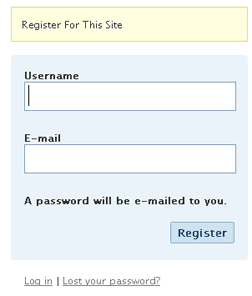
Easier WordPress Registration
 Instead of the safer and more secure method employed by WP, this article shows you the code that lets you create your own register form like the one below, and registration is as simple as typing in an email address and password.
Here's how this script works:
- Enter Email Addy and Password (Email used as username)
- Hitting Submit creates a new user, emails user login info to user, logs in the user, and redirects the user wherever.
Bad Idea to implement, Cool to think about
For one thing this would let web robots and spammers register for your blog without having to validate an email address. That could get very bad very fast in terms of comments and other data in your database. But there are probably a lot of reasons why this would be a very bad idea to actually implement.
Register Form Example XHTML
PHP Script autologin.php
This is pretty rough code but it works for WP 2.5, some things to note are that adequate checking of user-input is missing so a blank password will work. Another bit of roughness is how this script will DIE with an error message upon failure.
It will also send a new user notification email including the plaintext username and plaintext password, then it will login the user and redirect them to /wordpress/.
true,'user_login'=>$user_login,'user_password'=>$user_pass);
do_action_ref_array('wp_authenticate', array(&$credentials['user_login'], &$credentials['user_password']));
$user = wp_authenticate($credentials['user_login'], $credentials['user_password']);
wp_set_auth_cookie($user_id, $credentials['remember']);
do_action('wp_login', $credentials['user_login']);
wp_safe_redirect($redirect_to);
exit();
?>
Implementation
In case you want to try it out, it will work as is above.
This code is danger danger
« Upgrading to DreamHost Private ServersAskApache.com May 2008 DreamHost Site of The Month »
Comments