Web Development Glossary
PortaPutty Auto-Reconnecting SSH Tunnels on an Encrypted TrueCrypt Portable USB Key w GPG
Ok I just came back up to write the intro.. I'm trying to keep it short to avoid getting bogged down by the coolness of each step. Here is what goes on. When I logon to my XP machine at work, I bring my usb key and plug it in first. On logging a window pops up first and it's a password prompt to mount my encrypted drive leonardo. It also checks a keyfile that is located on my usb key, but all I do now is type in my password. That causes my encrypted folder to be accessible to me like a normal drive, and it autoruns a startup batch file.
The batch file causes Portable versions of Firefox (all my bookmarks, my settings) to load, and launches Portable Mozilla Thunderbird (IMAP makes this work well), which is my favorite program (great GPG features and open-source!). Also Some Adobe CS4 software is loaded from the hard drive, like DreamWeaver. In the background, a service we created executes a PortaPuttY plink command to create forwarded tunnels from various remote servers and accounts, all using key-based encryption. These tunnels are automatically reconnected if they are disconnected, meaning you can use a socks 5 if you want or even better!
Troubleshooting Apache .htaccess Authentication
Apache Web Server users have problems getting Apache Authentication/password-protection in htaccess working, this is a troubleshooting guide to get Password Protection working!
htpasswd Generator
Advanced WordPress wp-config.php Tweaks
The bottom line for this article is that I want to make WordPress as fast, secure, and easy to install, run, and manage because I am using it more and more for client production sites, I will work for days in order to solve an issue so that I never have to spend time on that issue again. Time is money in this industry and that is ultimately (time) what there is to gain by tweaking WordPress.
Note: I spent no time on readability, this is primarily a read the code and figure it out article.. This is for advanced users looking for a reference or discussion and for those of you looking to advance. Feedback would be great if you make it that far..
ListOfErrors
COMPUTER SECURITY TOOLBOX
List of mainly obscure security software geared more for the master pentester. These are mostly for unix, bsd, and mac and many are difficult to install and setup (require custom servers, inside access points, obscure libraries). Only programs that output data are included, so no actual exploits or anything. Most of these output extremely useful albeit extremely technical information.Apache SSL in htaccess examples
SSLOptions +StrictRequire
SSLRequireSSL
SSLRequire %{HTTP_HOST} eq "google.com"
ErrorDocument 403 https://google.com
Some of the Ins and Outs of using SSL Connections with Apache.
Update: AskApache Password Protect Plugin
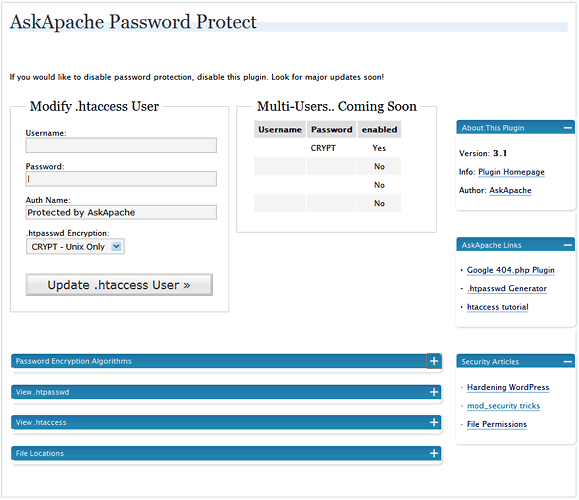 WordPress plugin gives you control over HTTP Basic Authentication for your WordPress blog which among other things, stops most automated hacking attempts and exploits being attempted, cutting down on the number of requests, connections, and mysql queries for all WordPress blogs on the Internet.
Mod_Rewrite Variables Cheatsheet
 We've figured out what mod_rewrite variables look like, a cheatsheet of the actual value.
Want to know how to really hack?
An interesting post by hacker explaining how to really hack, stay anonymous, and dig in deep.Originally Posted: 1/22/2003
Vulnerability Scanners Review
The Right to Read
The proponents of this scheme have given it names such as "trusted computing" and "palladium". We call it "treacherous computing", because the effect is to make your computer obey companies instead of you. This was implemented in 2007 as part of Windows Vista; we expect Apple to do something similar. In this scheme, it is the manufacturer that keeps the secret code, but the FBI would have little trouble getting it.
Encrypted WordPress / phpBB Backups
Enter your DOMAIN_ROOT and the location of your wp-config.php or config.php, and this script finds all the mysql settings by parsing the phpbb or wordpress config file, then creates GPG encrypted backups, and saves your settings for future automation.
Firefox Add-ons for Web Developers
 Advanced Web Development by AskApache is a Firefox Collection I created since I'm always trying new Addons out and using multiple computers and I wanted a quick and easy way to install my favorite's and keep a running list. Firebug, YSlow, LastPass, and Web Developer are the only ones I always use regularly.
I like the idea of the last.fm but it's not as powerful as the site, which is awesome. Lately listening to Kings of Leon Radio...
King Penguin Linux Notebook
 The machine itself is super super ultra-thin, wafer thin, very cool looking. It's crazy light, I was amazed how slick it looked when it arrived.
Huge amount of open-source hardware/chipsets/etc.. The first time I went through the dmesg I was smiling. 2 USB 3.0 ports, and they actually work as promised, very very fast transfer speeds to my USB 3.0 external SSD. Incredible speed, boot time is the fastest I've ever seen. Starts at $720, mine was $1,800