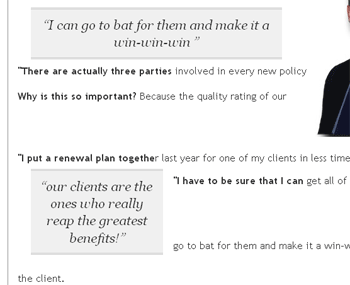
 CSS is one of the most useful tools I have in my toolbox as a Web Developer. Having a CSS Toolbox containing good CSS Classes that you repeatedly use is quite helpful for us XHTML / web-standards / best-practices developers. Check out 10 of my favorite CSS classes.
CSS
While researching a unix/linux tool awk I came upon one of the most thorough and helpful tutorials I've ever seen devoted to a particular topic. It's old-school just the way I like it. I contacted the author, Bruce Barnett because I just HAD to have this article for my readers, who are predominantly running solaris/unix/bsd/linux and he kindly gave permission.
Linux
Its really nice to be able to print out a webpage you are reading using your browsers built-in print feature. Using CSS you can easily transform your site into a print-friendly site.
Today I received an email from a visitor to my site requesting that I add a way to print site articles on AskApache
CSS Cascading Style Sheets nicer printing Style sheet
 After many years of using any and all terminal emulators out there, from xterm to the Gnome terminal, to KDE Konsole to xfce4-terminal, lxterminal, vte, yakuake, rote, roxterm, sakura, terminator, and putty I finally I settled in for the long-haul with rxvt (rxvt-unicode).
My BOX: Slim -> Ratpoison -> URxvt -> Tmux -> Bash
Linux .Xdefaults .Xresources bash Gnome terminal GNU Screen ratpoison rxvt rxvt-unicode Terminal multiplexers tmux urxvt Xterm Yakuake
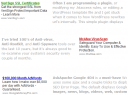 Optimizing the position, color, and size of AdSense Ads is confusing. The REAL way to optimize AdSense for clicks and revenue is using variations and measuring the results.
WordPress
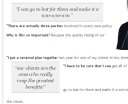 I looked at a lot of different ways to display quotes and pullquotes and even though the javascript solutions are very nice, esp. the 456bereastreet.com solution, I decided to just use CSS (Keep It Simple Stupid).
CSS
full article: alistapart.com
- Everything you know is wrong sort of
- It's not going to look exactly the same everywhere unless you're willing to face some grief and possibly not even then
- You will be forced to choose between the ideal and the practicable
- (with thanks to Antoine de Saint-Exupéry): Perfection is not when there's nothing to add, but when there's nothing to take away
- Some sites are steaming heaps of edge cases
- Longer lead times
CSS
Here's the problem I was having while working on a custom theme for a client. Certain pages, posts, tag pages, archive pages, and custom pages either had the sidebar, or did not have the sidebar. The main content div #ContentW had a 72% width when the sidebar was present, otherwise it was 96%. The problem was that I dislike having to do things manually when they can be automated through code. What I was having to do was manually add/remove page-specific classes to the css file to reflect whether the sidebar was present on that page or not.
WordPress Sidebar wordpress
Bash Functions and Aliases for Traps, Kills, and Signals. Useful for translating signal numbers/signal names and getting more info about signals.
Shell Scripting bash kill trap
Request to https://www.askapache.com/cg/rewrite-test/?catch=caught&this=that
RewriteCond %{THE_REQUEST} = GET /cgi-bin/php/pro/rewrite-test/?catch=caught&this=that HTTP/1.1
RewriteCond %{REQUEST_URI} = /cg/rewrite-test/?catch=caught&this=that
RewriteCond %{QUERY_STRING} = catch=caught&this=that
RewriteCond %{HTTP_HOST} = www.askapache.com
RewriteCond %{HTTP_USER_AGENT} = Mozilla/5.0 (Windows NT 6.1; WOW64; rv:18.0) Gecko/20100101 Firefox/18.0
RewriteCond %{REMOTE_ADDR} = 8.8.8.8
Htaccess
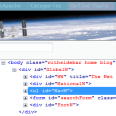 This is a brief explanation of what is needed for an awesome theme, well awesome from my perspective. This is good stuff, memorize it.
Web Development, WordPress css web builder
 The Admin Bar in WordPress is always shown when in the backend administration area no matter what.
You are given the option to show/hide the admin bar when viewing the site, but there is no option to show/hide the admin bar when using the backend... So I created a plugin to provide that option on profile pages.
Why hide the admin bar in backend?
Normally I like the admin-bar and usually have it enabled, but it's nice to be able to switch it on/off from the "Edit Profile" page. The biggest reason for not loading/showing the admin_bar in the backend is SPEED. Here are 2 instances where I hide it-
· Sites with many authors/admins
· Moderating Comments on a Mobile Phone
WordPress PHP WordPress Plugin
Hosting DreamHost Out of memory RAM virtual memory
CSS
An image and technicacl achievement so profound, it will touch yoour heart.. So 3D... it'll hurt you eyes! LOL.. lol.. Man I am cracking up here. haha Ha definately the best intro ever, those really do look 3D for terminal though huh.. Sweet. Here is the little function I wrote to output that grey marble.

Linux ANSI escape code ANSI.SYS Control characters Escape sequence Stty Termcap Terminfo Tput
Unix file permissions are one of the more difficult subjects to grasp.. Well, ok maybe "grasp" isn't the word.. Master is the right word.. Unix file permissions is a hard topic to fully master, mainly I think because there aren't many instances when a computer user encounters them seriously, and bitwise is oldschool. This contains a listing of all possible permission masks and bits from a linux, php, and web hosting view.... cuz you guys AskApache Regs Rock!
Security chmod File Permissions umask
 htaccess rewrite Master Class! If you understand the basics of mod_rewrite, or if you literally write the mod_rewite.c code, this article will transform your thinking. The transformation is profound. Deeply effective. Culmination of the best of the best mod_rewrite tricks for understanding and learning exactly what rewrite is doing.
Htaccess Htaccess mod_rewrite PHP RewriteCond RewriteRule
 What I used to do when I was still learning CSS was to check the web page in each of the various problematic browsers to make sure the display stayed the same. I have several actual machines and several vmware virtual machines running various browers but I decided to skip all that extra time and effort and just use an online tool to do it for me. The tool views my page in all the various browsers and generates a screenshot image from each browser so that I can see if there are issues with my CSS.
Software
Using FastCGI on DreamHost and .htaccess
Shell Scripting

Just a quick reference to all those delicious unicode characters and how they render on the web‽‽
Web Development symbols Unicode