This is a big update from the last time I looked into this, when I enumerated 57 Status Codes that Apache 2.x was capable of handling. This list contains 83 Status Codes recognized by Apache. I compiled the latest 2.4.4 Apache in order to view the actual codes sent by a live server.. very cool. You can read about the newest HTTP Status Codes in RFC 6585.
Net Apache cURL ErrorDocument Htaccess HTTP HTTP Headers Redirect Status Code
 .htaccess is a very ancient configuration file for web servers, and is one of the most powerful configuration files most webmasters will ever come across. This htaccess guide shows off the very best of the best htaccess tricks and code snippets from hackers and server administrators.
You've come to the right place if you are looking to acquire mad skills for using .htaccess files!
Apache, Hosting, Htaccess, Optimization, Security, SEO, Web Development, WordPress .htpasswd 301 Redirect Apache Apache HTTP Server Cache Hosting Htaccess Htaccess Software HTTP Headers httpd.conf HyperText Transfer Protocol mod_rewrite Redirect RewriteCond RewriteRule SSL
2 awesome ways to implement caching on your website using Apache .htaccess or httpd.conf. Both methods are extremely simple to set up and will dramatically speed up your site! Htaccess Cache Cache-Control ETag Expires Header Headers Htaccess mod_expires mod_headers
Apache, Hosting 2.4 Apache Error
Apache server performance can be improved by adding additional hardware resources such as RAM, faster CPU, etc. Optimization
mod_rewrite is very useful in many situations. Yet some behaviors were not so obvious when I started to mess with it. After many testings, I understand it much better, now. Having said that, I do not pretend to know it perfectly. I also make mistakes.
Htaccess
thought I'd take a break from coding and post about how open-source is such a great tool for finding the best answers to the toughest questions,
/** is the status code informational */
#define ap_is_HTTP_INFO(x)         (((x) >= 100)&&((x) < 200))
/** is the status code OK ?*/

#define ap_is_HTTP_SUCCESS(x)      (((x) >= 200)&&((x) < 300))
/** is the status code a redirect */
#define ap_is_HTTP_REDIRECT(x)     (((x) >= 300)&&((x) < 400))

/** is the status code a error (client or server) */
#define ap_is_HTTP_ERROR(x)        (((x) >= 400)&&((x) < 600))
/** is the status code a client error  */

#define ap_is_HTTP_CLIENT_ERROR(x) (((x) >= 400)&&((x) < 500))
/** is the status code a server error  */
#define ap_is_HTTP_SERVER_ERROR(x) (((x) >= 500)&&((x) < 600))

/** is the status code a (potentially) valid response code?  */
#define ap_is_HTTP_VALID_RESPONSE(x) (((x) >= 100)&&((x) < 600))
Hacking
Very nice tutorial dealing with the robots.txt file. Shows examples for google and other search engines. Wordpress robots.txt and phpBB robots.txt sample files. SEO
 So my blog as been rather quiet for almost a year now, and very few updates if any have been released for my Password Protection PLugin, my Google 404 Plugin, and definately not for my AskApache CrazyCache plugin, which I will be releasing last... So for all of you who've helped me out by sending me suggestions and notifying me of errors and sticking with it... Just wanted to say sorry about that, and thanks for all the great ideas.. Well, I've been sticking with it as well believe it our not. I manage to get free days once in a while, and then its time to jam.
WordPress Apache HTTP Server CGI Debugging HTTP protocol Htaccess SuexecUserGroup
SSLOptions +StrictRequire
SSLRequireSSL
SSLRequire %{HTTP_HOST} eq "google.com"
ErrorDocument 403 https://google.com
Some of the Ins and Outs of using SSL Connections with Apache.
Htaccess 301 Redirects Htaccess mod_rewrite SSL
Using FastCGI on DreamHost and .htaccess
Shell Scripting
 We've figured out what mod_rewrite variables look like, a cheatsheet of the actual value.
Htaccess Apache cheatsheet Htaccess htaccess file mod_rewrite PHP rewrite Rewriting
This is all new, experimental, and very very cool. It literally uses .htaccess techniques to create several virtual "locked gates" that require a specific key to unlock, in a specific order that cannot be bypassed. It uses whitelisting .htaccess tricks to specify exactly what is allowed, instead of trying to specify everything that isn't allowed. Also, by setting specific cookies/tokens after successfully passing through a gate, we can then require the exact cookie/token from the previous gate, which stops an attacker from skipping or bypassing gates.
Htaccess
 htaccess rewrite Master Class! If you understand the basics of mod_rewrite, or if you literally write the mod_rewite.c code, this article will transform your thinking. The transformation is profound. Deeply effective. Culmination of the best of the best mod_rewrite tricks for understanding and learning exactly what rewrite is doing.
Htaccess Htaccess mod_rewrite PHP RewriteCond RewriteRule
 Thought I'd give you all the tips and tricks that I've learned and use when developing WordPress plugins.. which can be quite fun!
WordPress
Apache Web Server users have problems getting Apache Authentication/password-protection in htaccess working, this is a troubleshooting guide to get Password Protection working!
Htaccess
 If you are using Disqus on your site, you will see that annoyingly the default sort order for listing comments is 'best'.
I have implemented disqus on many sites and the number 1 request I get is to change the default sort order to newest.
There is no documentation or hints anywhere to solve this. So I solved it.
Javascript Disqus
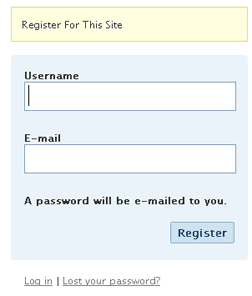
Registering on a WP blog requires entering a username and email then checking your email for an auto password.
Too much work to put your users through?
This uses just email and password and does it all.
WordPress
 What I used to do when I was still learning CSS was to check the web page in each of the various problematic browsers to make sure the display stayed the same. I have several actual machines and several vmware virtual machines running various browers but I decided to skip all that extra time and effort and just use an online tool to do it for me. The tool views my page in all the various browsers and generates a screenshot image from each browser so that I can see if there are issues with my CSS.
Software