This is a big update from the last time I looked into this, when I enumerated 57 Status Codes that Apache 2.x was capable of handling. This list contains 83 Status Codes recognized by Apache. I compiled the latest 2.4.4 Apache in order to view the actual codes sent by a live server.. very cool. You can read about the newest HTTP Status Codes in RFC 6585.
Net Apache cURL ErrorDocument Htaccess HTTP HTTP Headers Redirect Status Code
I really really wanted to run the latest MariaDB with LZ4 Page Compression.. it is a game changer for many types of large databases I deal with. So I compiled it manually in a way that is repeatable and follows best-practices and it's now powering this site. Now I can use InnoDB Page Compression with lzo, lzma, bzip2, snappy, or my favorite algorithm: LZ4.

Thought this would be a good chance to post a howto, and show that there is a lot you can do by compiling software yourself and breaking the package management one-click install shackles.
Linux, MySQL centos compression InnoDB lz4 MariaDB MySQL
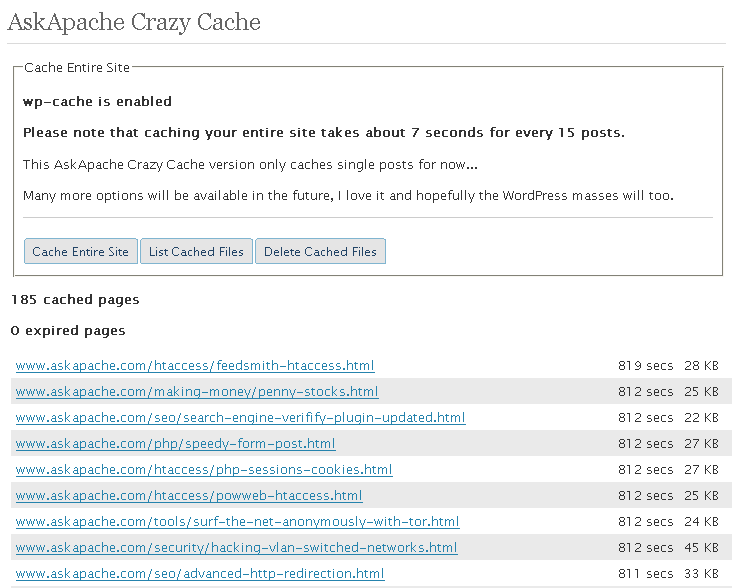
 A plugin built to generate static files from php+mysql for Apache to serve the way its supposed to be.. My dream. Conclusion: Needs some improvement, pretty sweet though.
Optimization
 We've figured out what mod_rewrite variables look like, a cheatsheet of the actual value.
Htaccess Apache cheatsheet Htaccess htaccess file mod_rewrite PHP rewrite Rewriting
Demo php cURL code, that automatically logs into Google AdSense, using cookies and post fields with the POST method.
Google
I used to run into the problem of having warning messages pop up when I accessed a page with secure and non-secure information and finally I found something that let me post non-ssl encrypted content on an ssl encrypted page and no warning messages will pop up! Htaccess
Part deux of Want to know how to really hack? Originally Posted: 12/28/2003
Hacking
Hosting, Htaccess, Linux, PHP Htaccess php-fpm
While researching a unix/linux tool awk I came upon one of the most thorough and helpful tutorials I've ever seen devoted to a particular topic. It's old-school just the way I like it. I contacted the author, Bruce Barnett because I just HAD to have this article for my readers, who are predominantly running solaris/unix/bsd/linux and he kindly gave permission.
Linux
Orig published 2006. I had a CD-RW drive but being a computer security researcher I had no money for blank cd-recordables. What follows is how I managed to install various operating systems on my computer (1 hard drive) without having to burn to a CD the ISO and then boot from that.
And also:
==Phrack Inc.==

              Volume 0x0b, Issue 0x3f, Phile #0x0a of 0x14

|=-----------------=[ Hacking Grub for fun and profit ]=-----------------=|
Linux bash GRUB iso linux OS Phrack USB
Since I was disqualified and accused of cheating, which is absolutely false, I decided to go ahead and do the crime I have been punished for. That's right, I'm going to show YOU how I could have rigged the DHSOTM contest to hopefully make the statement that I absolutely did not cheat and I absolutely want to be re-instated as the winner. Hosting
Grab the latest php.ini developmental version and discover new or previously hidden php runtime configuration settings... ahead of everyone else!
PHP
An interesting post by hacker explaining how to really hack, stay anonymous, and dig in deep.
Originally Posted: 1/22/2003
Hacking

Just a quick reference to all those delicious unicode characters and how they render on the web‽‽
Web Development symbols Unicode
 I have written more than a few articles detailing how to improve the speed of a website, and due to popular demand, this post will detail all the latest and greatest caching tricks and techniques that I utilize and love. The AskApache Best-Practices.
Optimization
 Unless you are a total linux-freak-guru like myself, and even if you are, it can be enormously challenging and somewhat overwhelming to locate and eliminate MySQL bottlenecks. While many DBAs focus on improving the performance of the queries themselves, this post will focus on the highest-impact items: MySQL Server Performance and OS Performance for MySQL. Specifically showing 4 awesome tools to auto-tune your MySQL and a few more tools just for monitoring!
MySQL InnoDB linux MariaDB my.cnf MyISAM MySQL Optimization Percona performance phpMyAdmin
Here's a nifty little idea I had that has some merit and is super easy. Separate favicons for separate areas of a site. Basically, I can't live without Firefox or Chrome and the way they use multiple tabs, having about 20-50 open at any one time.. But that makes it more difficult to find the right tab!

WordPress favicon PHP wordpress
 Here is even more information from the Ultimate Htaccess Part I. For now this is very rough and you will want to come back later to read it.
Htaccess Apache HTTP Server Htaccess World Wide Web
 Optimizing the position, color, and size of AdSense Ads is confusing. The REAL way to optimize AdSense for clicks and revenue is using variations and measuring the results.
WordPress
NOT a typo.. 30x is measurable, well-documented, and easily tested. This is what open-source is about. I haven’t had time to post much the past year, I'm always working! So I wanted to make up for that by publishing an article on a topic that would blow your mind and be something that you could actually start using and really get some benefit out of it. This is one of those articles that the majority of web hosting companies would love to see in paperback, so they could burn it.
Optimization tmpfs
How To remove the /category/ from WordPress category urls.
James
We're using WP as a CMS with pages and posts. Done a bit of customization, so it looks sweet. Problem - i have some child categories that throw 404 when the category redirect is in place. How did you remove the category base from the url structure in wordpress?
WordPress
 htaccess rewrite Master Class! If you understand the basics of mod_rewrite, or if you literally write the mod_rewite.c code, this article will transform your thinking. The transformation is profound. Deeply effective. Culmination of the best of the best mod_rewrite tricks for understanding and learning exactly what rewrite is doing.
Htaccess Htaccess mod_rewrite PHP RewriteCond RewriteRule
 Google Analytics for your clients sites is a no-brainer, it ROCKS! I have 100+ client sites running Analytics and all of them have trouble-free (no password or username to remember) access to their site reports. Thanks to the method in this post, my clients couldn't be happier..
Google
Scrolls the latest log entries for multiple log files to the current screen or to any other monitor or TTY in color using syntax highlighting, making debugging easier and saving a lot of time for multi-monitor workstations.
Linux
This is all new, experimental, and very very cool. It literally uses .htaccess techniques to create several virtual "locked gates" that require a specific key to unlock, in a specific order that cannot be bypassed. It uses whitelisting .htaccess tricks to specify exactly what is allowed, instead of trying to specify everything that isn't allowed. Also, by setting specific cookies/tokens after successfully passing through a gate, we can then require the exact cookie/token from the previous gate, which stops an attacker from skipping or bypassing gates.
Htaccess
Htaccess AddDescription Apache bash
Problem: WordPress shows pages, categories, author pages, etc. without an ending '/'.
/about instead of /about/.
/category/htaccess instead of /category/htaccess/.
Solution: Either hook into the user_trailingslashit filter, or use some htaccess RedirectMatch
WordPress permalink PHP RedirectMatch wordpress
After I optimized the caching for my non-dynamic pages using apache modules mod_headers and mod_expires, I began to learn about phpbb seo..
Htaccess Htaccess PhpBB
 Learn about the 7 different HTTP response codes specifically reserved for redirection. 301, 302, 303, 304, 305, and 307.
SEO
A list of all DreamHost Servers and corresponding IP address. The dreamhost.com DNS zone is currently having troubles, so most hostnames within this zone are not resolving. Hosting
Comprehensive .htaccess example file with advanced examples in 1 htaccess sample skeleton .htaccess file with the very best apache htaccess examples... Updated frequently based on detailed info from the Apache htaccess tutorial.
Htaccess Allow AuthUserFile Deny Htaccess Redirect RewriteCond RewriteEngine RewriteRule
 Fresh .htaccess code for you! Check out the Cookie Manipulation and environment variable usage with mod_rewrite! I also included a couple Mod_Security .htaccess examples. Enjoy!
Originally Posted: 3/29/2008
Htaccess
If you examine the preferences dialog of any modern Web browser (like Internet Explorer, Safari or Mozilla), you'll probably notice a 'cache' setting. This lets you set aside a section of your computer's hard disk to store representations that you've seen, just for you. The browser cache works according to fairly simple rules. It will check to make sure that the representations are fresh, usually once a session (that is, the once in the current invocation of the browser).
Optimization
Learn how in a year, with no previous blogging experience this blog was able to rank so high in search engines and achieve 15,000 unique visitors every day. Uses combination of tricks and tips from throughout AskApache.com for Search Engine Optimization.
SEO
 I have been in some tight spots where I had to sniff a password or two off the wire, or sniff some packets off the wire and based on the packets content perform some action... Accidentally, I stumbled on a method to sniff data while remaining undetected and invisible.
Originally Posted: 2003/04/15
Hacking capturing ethernet Hacking network packet sniffing Wireshark
 A WordPress plugin that caches your entire blog for WP-Cache, I love this plugin and finally released it to the public!
WordPress
Disable caching on WordPress index pages when using WP-Cache with this neat mod to the famously speedy cache plugin.
WordPress
NOTE: This is a very old post, I do NOT recommend DreamHost for anyone other than spammers. They are not a long-term solution.
Hosting
On-Demand WordPress MySQL database Backup Shell Script for DreamHost Shell Scripting
301 Redirects using Apache mod_rewrite or RedirectMatch in .htaccess or httpd.conf
Htaccess