htaccess Tricks for Webmasters
Some of my favorite htaccess examples from some of my favorite .htaccess tutorials. These cut-and-paste ready htaccess code snippets are very useful for website and server administrators.
Some of my favorite htaccess examples from some of my favorite .htaccess tutorials. These cut-and-paste ready htaccess code snippets are very useful for website and server administrators.
 Quick and easy method to get a list of all Apache Modules currently loaded, a list of all the directives each module provides, a list of currently used directives, etc... These directives can be used in httpd.conf and/or .htaccess files so it is definately useful to know which ones are available and which ones are currently being used.
Scrolls the latest log entries for multiple log files to the current screen or to any other monitor or TTY in color using syntax highlighting, making debugging easier and saving a lot of time for multi-monitor workstations.
 Just a very brief look at speeding up form submission by delegating the processing and bandwidth to your server, not your client.
Its really nice to be able to print out a webpage you are reading using your browsers built-in print feature. Using CSS you can easily transform your site into a print-friendly site.
Today I received an email from a visitor to my site requesting that I add a way to print site articles on AskApache
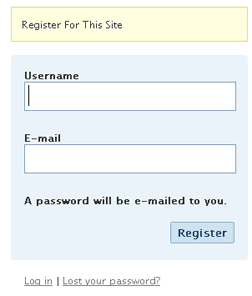
Registering on a WP blog requires entering a username and email then checking your email for an auto password.
Too much work to put your users through?
This uses just email and password and does it all.
 Optimizing the position, color, and size of AdSense Ads is confusing. The REAL way to optimize AdSense for clicks and revenue is using variations and measuring the results.
If you have files on your site that you don't want indexed by malicious search engines, grabbed and leeched by malicious spammers, or stolen and made available elsewhere, you can use mod_rewrite to drastically reduce or totally reduce that activity.
This article is a quick and easy HowTo detailing the use of Wireshark or another network sniffing program to debug your Apache .htaccess or httpd.conf files.
Using a CSS Background Image Sprite with the CSS background-position and background-image I can display all these icons: . I can even have them show up anywhere on the page!
 The Admin Bar in WordPress is always shown when in the backend administration area no matter what.
You are given the option to show/hide the admin bar when viewing the site, but there is no option to show/hide the admin bar when using the backend... So I created a plugin to provide that option on profile pages.
Why hide the admin bar in backend?
Normally I like the admin-bar and usually have it enabled, but it's nice to be able to switch it on/off from the "Edit Profile" page. The biggest reason for not loading/showing the admin_bar in the backend is SPEED. Here are 2 instances where I hide it-
· Sites with many authors/admins
· Moderating Comments on a Mobile Phone
Bash Functions and Aliases for Traps, Kills, and Signals. Useful for translating signal numbers/signal names and getting more info about signals.
If you ever wanted to know the best way to defragment and speed up your Windows-Based PC, I mean you really wanted to know, here is the 2nd part to my article on Windows Speed Optimizing that details the process I have found works really well. Definately not a quick process, and certainly not the best ever, just my best ever and one that you only have to do once to get the benefits.
This article has a lot of incredibly useful (and FREE) tools I recommend, which you can grab and use without reading the article..
 Google's mod_pagespeed speeds up your site and reduces page load time. This open-source Apache HTTP server module automatically applies web performance best practices to pages, and associated assets (CSS, JavaScript, images), all transparently like a Squid Proxy.
With TMPFS you can dramatically improve the speed of mod_pagespeed and the webpages served by it. TMPFS will store/serve the optimized PageSpeed output directly from RAM!
SSLOptions +StrictRequire
SSLRequireSSL
SSLRequire %{HTTP_HOST} eq "google.com"
ErrorDocument 403 https://google.com
Some of the Ins and Outs of using SSL Connections with Apache.
 Google Analytics for your clients sites is a no-brainer, it ROCKS! I have 100+ client sites running Analytics and all of them have trouble-free (no password or username to remember) access to their site reports. Thanks to the method in this post, my clients couldn't be happier..
 Learn about the 7 different HTTP response codes specifically reserved for redirection. 301, 302, 303, 304, 305, and 307.
Request to https://www.askapache.com/cg/rewrite-test/?catch=caught&this=that
RewriteCond %{THE_REQUEST} = GET /cgi-bin/php/pro/rewrite-test/?catch=caught&this=that HTTP/1.1
RewriteCond %{REQUEST_URI} = /cg/rewrite-test/?catch=caught&this=that
RewriteCond %{QUERY_STRING} = catch=caught&this=that
RewriteCond %{HTTP_HOST} = www.askapache.com
RewriteCond %{HTTP_USER_AGENT} = Mozilla/5.0 (Windows NT 6.1; WOW64; rv:18.0) Gecko/20100101 Firefox/18.0
RewriteCond %{REMOTE_ADDR} = 8.8.8.8
mod_rewrite is very useful in many situations. Yet some behaviors were not so obvious when I started to mess with it. After many testings, I understand it much better, now. Having said that, I do not pretend to know it perfectly. I also make mistakes.
Learn how in a year, with no previous blogging experience this blog was able to rank so high in search engines and achieve 15,000 unique visitors every day. Uses combination of tricks and tips from throughout AskApache.com for Search Engine Optimization.
 I have been in some tight spots where I had to sniff a password or two off the wire, or sniff some packets off the wire and based on the packets content perform some action... Accidentally, I stumbled on a method to sniff data while remaining undetected and invisible.
Originally Posted: 2003/04/15
Ok I just came back up to write the intro.. I'm trying to keep it short to avoid getting bogged down by the coolness of each step. Here is what goes on. When I logon to my XP machine at work, I bring my usb key and plug it in first. On logging a window pops up first and it's a password prompt to mount my encrypted drive leonardo. It also checks a keyfile that is located on my usb key, but all I do now is type in my password. That causes my encrypted folder to be accessible to me like a normal drive, and it autoruns a startup batch file.
The batch file causes Portable versions of Firefox (all my bookmarks, my settings) to load, and launches Portable Mozilla Thunderbird (IMAP makes this work well), which is my favorite program (great GPG features and open-source!). Also Some Adobe CS4 software is loaded from the hard drive, like DreamWeaver. In the background, a service we created executes a PortaPuttY plink command to create forwarded tunnels from various remote servers and accounts, all using key-based encryption. These tunnels are automatically reconnected if they are disconnected, meaning you can use a socks 5 if you want or even better!
Get the monthly newsletter —
the Free Software Supporter
Become a member of the Free Software Foundation today to help us reach our goal of $450,000 by January 31st.
 This amazing bash linux prompt does more than meets the eye. If you want to know how to become really good with technology, linux is the secret sauce behind the AskApache articles. Open Source is elixir of the web. Thanks to everyone who helped me for the past 20 years. I use linux/bsd because homey don't play, so this is geared to be as productive a prompt as I can make it.
Don't have much time.. or just don't care? Not a problem, here are the 3 lines to copy and paste - you can just paste them right in your shell to test it, or add to a startup script.
export AA_P="export PVE=\"\\033[m\\033[38;5;2m\"\$(( \`sed -n \"s/MemFree:[\\t ]\\+\\([0-9]\\+\\) kB/\\1/p\" /proc/meminfo\` / 1024 ))\"\\033[38;5;22m/\"\$((\`sed -n \"s/MemTotal:[\\t ]\\+\\([0-9]\\+\\) kB/\\1/p\" /proc/meminfo\`/ 1024 ))MB\"\\t\\033[m\\033[38;5;55m\$(< /proc/loadavg)\\033[m\";echo -en \"\""
export PROMPT_COMMAND="history -a;((\$SECONDS % 10==0 ))&&eval \"\$AA_P\";echo -en \"\$PVE\";"
export PS1="\\[\\e[m\\n\\e[1;30m\\][\$\$:\$PPID \\j:\\!\\[\\e[1;30m\\]]\\[\\e[0;36m\\] \\T \\d \\[\\e[1;30m\\][\\[\\e[1;34m\\]\\u@\\H\\[\\e[1;30m\\]:\\[\\e[0;37m\\]\${SSH_TTY} \\[\\e[0;32m\\]+\${SHLVL}\\[\\e[1;30m\\]] \\[\\e[1;37m\\]\\w\\[\\e[0;37m\\] \\n(\$SHLVL:\\!)\\\$ " && eval $AA_P
A hit-list of some of my favorite mod_rewrite code snippets for .htaccess files
 After many years of using any and all terminal emulators out there, from xterm to the Gnome terminal, to KDE Konsole to xfce4-terminal, lxterminal, vte, yakuake, rote, roxterm, sakura, terminator, and putty I finally I settled in for the long-haul with rxvt (rxvt-unicode).
My BOX: Slim -> Ratpoison -> URxvt -> Tmux -> Bash
 PHP curl example utilizing cookies, POST, and SSL options to login to Google Reader and fetch the number of subscribers for a particular feed url.
 Learn how to log and debug usernames and passwords used to login to a htaccess basic authorization protected website using php. This article is BOSS and will show you how to fully take control of this aspect of security using php and .htaccess, I don't believe you will find instructions to do this anywhere else on the net.
 For the good of your followers,
for the good of mankind,
and for our own enjoyment,
we shall proceed to expel you from the Internet and systematically dismantle the Church of Scientology in its present form.
 Well, not this sites server, which has never been hacked, but a server hosted with hostgator.
Interestingly, the hacker sent me an email and left me an mp3, which I've uploaded for your listening leisure.
Do real hackers exist? Yes. Can we coexist? Preferably!