PDF.js
 pdf.js is an HTML5 technology experiment that explores building a faithful and efficient Portable Document Format (PDF) renderer without native code assistance.
pdf.js is an HTML5 technology experiment that explores building a faithful and efficient Portable Document Format (PDF) renderer without native code assistance.
 Quick and easy method to get a list of all Apache Modules currently loaded, a list of all the directives each module provides, a list of currently used directives, etc... These directives can be used in httpd.conf and/or .htaccess files so it is definately useful to know which ones are available and which ones are currently being used.
.htaccess Topic vs htaccess Keyword

Just a quick reference to all those delicious unicode characters and how they render on the web‽‽
 Using memcache for me personally and the client sites I work on, has improved performance by over 1000%, in some cases even higher than that. It is a truly revolutionary way to optimize the performance of MySQL queries, remote requests such as to twitter or other apis, and this article is step 1. Plan is to go all the way to step 10 in future articles, it it grossly underused and misused in the WP world.
Ok, so on a site like this one, there is a tremendous amount of 'code' styled with CSS fonts in a pre, code, var, tt, samp, or kbd html tag. When using an programming tool like VIM to write code it is shown beautifully using your OS fonts. So then, how can we get that same font beauty to be there on the web? And, of course the solution must use best-practices (and preferably only use CSS and (X)HTML).
Also, text effects! --> View Solution
 The Admin Bar in WordPress is always shown when in the backend administration area no matter what.
You are given the option to show/hide the admin bar when viewing the site, but there is no option to show/hide the admin bar when using the backend... So I created a plugin to provide that option on profile pages.
Why hide the admin bar in backend?
Normally I like the admin-bar and usually have it enabled, but it's nice to be able to switch it on/off from the "Edit Profile" page. The biggest reason for not loading/showing the admin_bar in the backend is SPEED. Here are 2 instances where I hide it-
· Sites with many authors/admins
· Moderating Comments on a Mobile Phone
 As an example, here is the boot line that I am using at the moment on an older Dell Desktop, just to illustrate module parameters and environment vars.
title  Arch Linux X-256
linux   /vmlinuz-linux root=UUID rw rootfstype=ext4 elevator=noop selinux=0 plymouth.enable=0 raid=noautodetect ipv6.disable=1 video=DP1:d rcutree.rcu_idle_gp_delay=1 i915.panel_ignore_lid=-1 i915.modeset=1 TERM=rxvt-256color
full article: alistapart.com
 I looked at a lot of different ways to display quotes and pullquotes and even though the javascript solutions are very nice, esp. the 456bereastreet.com solution, I decided to just use CSS (Keep It Simple Stupid).

 3-Part article covering practical implementation of 3 advanced .htaccess features. Discover an easy way to boost your SEO the AskApache way (focus on visitors), a tip you might keep and use for life. Get some cool security tricks to use against spammers, crackers, and other nefarious sorts. Take your site's error handling to the next level, enhanced ErrorDocuments that go beyond 404's.
Learn how in a year, with no previous blogging experience this blog was able to rank so high in search engines and achieve 15,000 unique visitors every day. Uses combination of tricks and tips from throughout AskApache.com for Search Engine Optimization.
 Part II: Example illustrating how to speed up GET/POST form submissions. Uses fsockopen to initiate a server-side background request to process the submitted data, so that the result page of the form is displayed to the client lightningly quick.
 What I used to do when I was still learning CSS was to check the web page in each of the various problematic browsers to make sure the display stayed the same. I have several actual machines and several vmware virtual machines running various browers but I decided to skip all that extra time and effort and just use an online tool to do it for me. The tool views my page in all the various browsers and generates a screenshot image from each browser so that I can see if there are issues with my CSS.
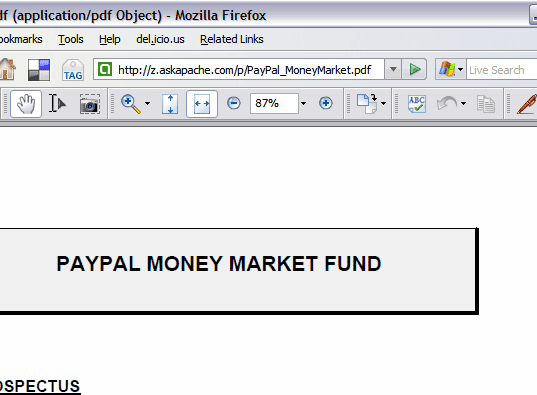
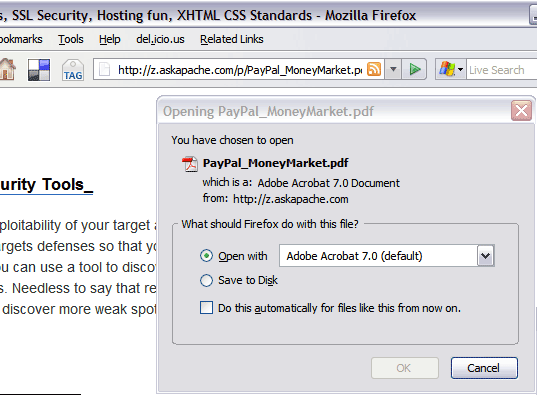
.htaccess and php example serves .pdf files to give visitors the choice to open in an external program or save to disk without having to open it in the browser
PDF Before and after Fix - Firefox
Using a CSS Background Image Sprite with the CSS background-position and background-image I can display all these icons: . I can even have them show up anywhere on the page!
Server and Environment Variables are used by The Apache HTTP Server by provides a mechanism for storing information. This information can be used to control various operations such as logging or access control.
To prepare for several upcoming articles on AskApache that are focused on optimizing Servers and Sites from a server admin level, here is an article to introduce the main tools that we will be using. These tools are used to optimize CPU time for each process using nice and renice, and other tools like ionice are used to optimize the Disk IO, or Disk speed / Disk traffic for each process. Then you can make sure your mysqld and httpd processes are always fast and prioritized.