This past week I updated my sites apache.css file for a site-redesign. I wanted to make changes to the .css file that only I could see, so that my regular traffic and site-visitors would still see the old version. Here's the elegant solution I came up with using .htaccess and mod_rewrite that works so well I'm sharing it with all you wonderful and incredible people reading my blog :)
Htaccess
 FeedBurner is so RAD! I love it. Here's an alternative method to redirect scrapers and feed requests to your feedburner url, in my case, I use Branding by feedburner, which is so hot, taking advantage of CNAMEs in your DNS record.
Htaccess
Apache has the best SSL/HTTPS support and can be controlled by the httpd.conf file or other HTTPD server configuration file. This htaccess tutorial has htaccess example code to make it easy to secure and use HTTPS and SSL with Apache.
Htaccess
After I optimized the caching for my non-dynamic pages using apache modules mod_headers and mod_expires, I began to learn about phpbb seo..
Htaccess Htaccess PhpBB
A lot of commonly used htaccess code snippets for use with the Apache Web Server.
Htaccess
Htaccess
 Time-dependant rewriting uses mod_rewrite and apache server time variables to display different files depending on the time, while the URL stays the same. An often requested implementation of this is to display a different home page or image depending on if its morning, noon, or night.
Htaccess
Htaccess 301 Redirects Htaccess
Using FastCGI on DreamHost and .htaccess
Shell Scripting
thought I'd take a break from coding and post about how open-source is such a great tool for finding the best answers to the toughest questions,
/** is the status code informational */
#define ap_is_HTTP_INFO(x)         (((x) >= 100)&&((x) < 200))
/** is the status code OK ?*/

#define ap_is_HTTP_SUCCESS(x)      (((x) >= 200)&&((x) < 300))
/** is the status code a redirect */
#define ap_is_HTTP_REDIRECT(x)     (((x) >= 300)&&((x) < 400))

/** is the status code a error (client or server) */
#define ap_is_HTTP_ERROR(x)        (((x) >= 400)&&((x) < 600))
/** is the status code a client error  */

#define ap_is_HTTP_CLIENT_ERROR(x) (((x) >= 400)&&((x) < 500))
/** is the status code a server error  */
#define ap_is_HTTP_SERVER_ERROR(x) (((x) >= 500)&&((x) < 600))

/** is the status code a (potentially) valid response code?  */
#define ap_is_HTTP_VALID_RESPONSE(x) (((x) >= 100)&&((x) < 600))
Hacking
I've had a lot of people ask about the FeedBurner FeedCount image on AskApache. Specifically how to set it up with custom messages and different colors each page view... It is pretty sweet..
Hacking Feed Count FeedBurner Htaccess
This is all new, experimental, and very very cool. It literally uses .htaccess techniques to create several virtual "locked gates" that require a specific key to unlock, in a specific order that cannot be bypassed. It uses whitelisting .htaccess tricks to specify exactly what is allowed, instead of trying to specify everything that isn't allowed. Also, by setting specific cookies/tokens after successfully passing through a gate, we can then require the exact cookie/token from the previous gate, which stops an attacker from skipping or bypassing gates.
Htaccess
 Want to block a bad robot or web scraper using .htaccess files? Here are 2 methods that illustrate blocking 436 various user-agents.
Htaccess
 One of the biggest speed bottlenecks of sites today are images, specifically unoptimized images or large scaled images. With Apaches Rewrite module we can convert all existing jpegs and png files (and most gifs) to webp, then transparently rewrite them so that a request for img.png from a browser that supports webp will receive img.webp.
Hosting, Htaccess, Optimization accept Header png RewriteCond RewriteRule vary webp
WordPress blogs show the same duplicate content for https://www.askapache.com/index.php and https://www.askapache.com/. If you've read about using a robots.txt file for WordPress SEO, than you already understand this setup results in Duplicate Content penalties being levied against your Blog and Web Site by Search Engines.
Htaccess
If you want to redirect to a different version of a file based on the time, this code is for you! Please read: Serve Alternate Content based on Time
Htaccess
How to password-protect, Allow or Deny a visitor based on a condition. If you are having trouble getting htaccess-based password protection to work see: Troubleshooting htaccess Authentication: Getting it to work
Htaccess AuthName AuthType FilesMatch Htaccess Password Password Protection Require
The bottom line for this article is that I want to make WordPress as fast, secure, and easy to install, run, and manage because I am using it more and more for client production sites, I will work for days in order to solve an issue so that I never have to spend time on that issue again. Time is money in this industry and that is ultimately (time) what there is to gain by tweaking WordPress.
Note: I spent no time on readability, this is primarily a read the code and figure it out article.. This is for advanced users looking for a reference or discussion and for those of you looking to advance. Feedback would be great if you make it that far..
WordPress wordpress wp-config.php
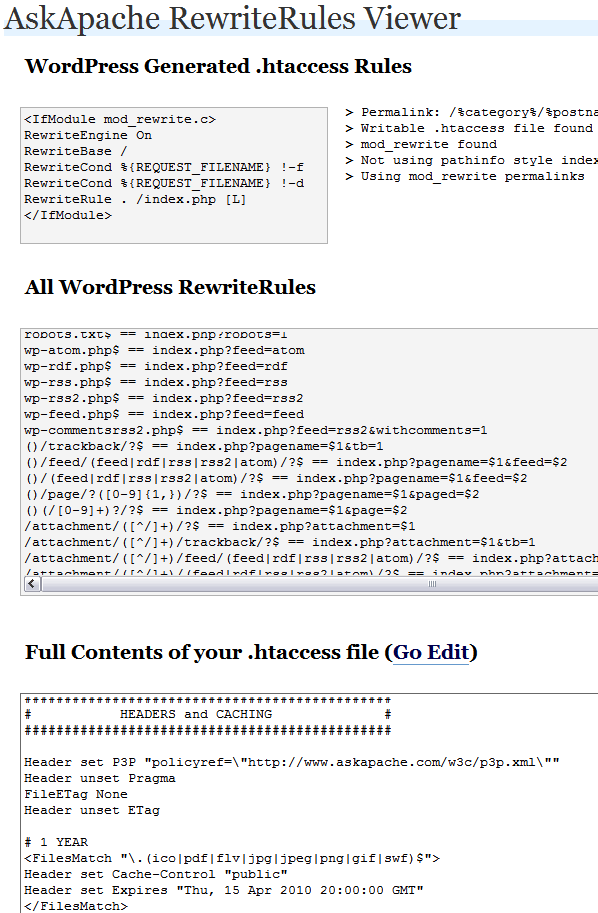
 Often I am programming a plugin, or modifying my .htaccess rules, or editing a WordPress template file and I get stuck when it comes to how WordPress rewrites url's internally. This simple plugin displays all the internal WordPress rewrites.
WordPress
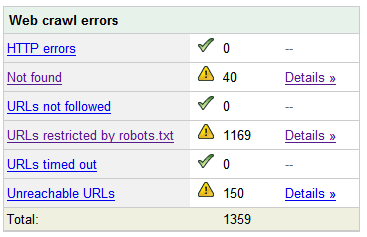 Nifty SEO tip to get Search Engine Bots to check your site every hour until you finish working on it and tell them you are finished.
SEO
Mod_Security rivals Mod_Rewrite in the amount of features it provides. I decided to go ahead and post what I learned about it today, even though its tough to give away such awesome htaccess and apache tricks.. Learn how to control spam once and for all, conditionally log/deny/allow/redirect requests based on IP, username, etc.. Mod_Security is so fine!
Htaccess Htaccess mod_security security
Server and Environment Variables are used by The Apache HTTP Server by provides a mechanism for storing information. This information can be used to control various operations such as logging or access control.
Htaccess
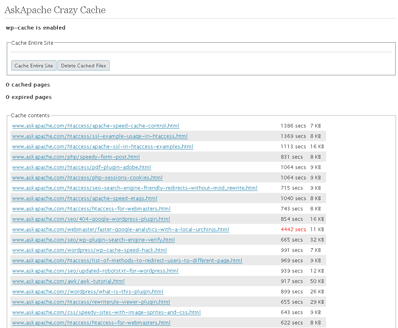
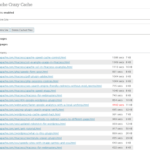 A plugin built to generate static files from php+mysql for Apache to serve the way its supposed to be.. My dream. Conclusion: Needs some improvement, pretty sweet though.
Optimization
Some of my favorite htaccess examples from some of my favorite .htaccess tutorials. These cut-and-paste ready htaccess code snippets are very useful for website and server administrators.
Htaccess
Perhaps you want to keep status information between requests and use the URL to encode it. But you don't want to use a CGI wrapper for all pages just to strip out this information.
Htaccess Htaccess mod_rewrite RewriteRule

Apache, Optimization compression Htaccess httpd.conf mod_deflate
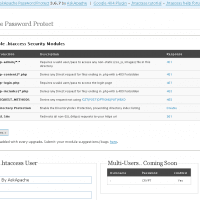
- gzip's previous .htaccess file and sends it as an attachment to the logged in users email account along with password user setup.
- Now also works for sites running on SSL (PHP version >4.3.0)
- Rewrote the security module code in the form of snort, nessus, and mod_security rules and signatures
- Added a *real* check to see if mod_rewrite is installed
- Added Modules that remove directoryindexes
- Much more on the way..
WordPress
There are a total of 57 HTTP Status Codes recognized by the Apache Web Server. Wouldn't you like to see what all those headers and their output, ErrorDocuments look like?
Htaccess 403 404 500 503 Htaccess mod_rewrite PHP RewriteCond RewriteRule
List of the directives available to Powweb users for use in htaccess files Htaccess
- When php run as Apache Module (mod_php)
- When php run as CGI
- When cgi?d php is run with wrapper (for FastCGI)
PHP CGI Htaccess PHP php.ini
Learn how in a year, with no previous blogging experience this blog was able to rank so high in search engines and achieve 15,000 unique visitors every day. Uses combination of tricks and tips from throughout AskApache.com for Search Engine Optimization.
SEO
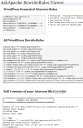 Updated to now also show the type of permalink configured for your blog. Including what type of internal permalinking, pathinfo, mod_rewrite, etc.. Also shows contents of blogs current .htaccess file and provides a link to directly edit.
WordPress
Links to htaccess tutorials and howtos in the htaccess forum
Htaccess
 If you have a Powweb Webhosting account, you will appreciate this simple skeleton .htaccess file for use on their systems.
Htaccess Htaccess Powweb skeleton
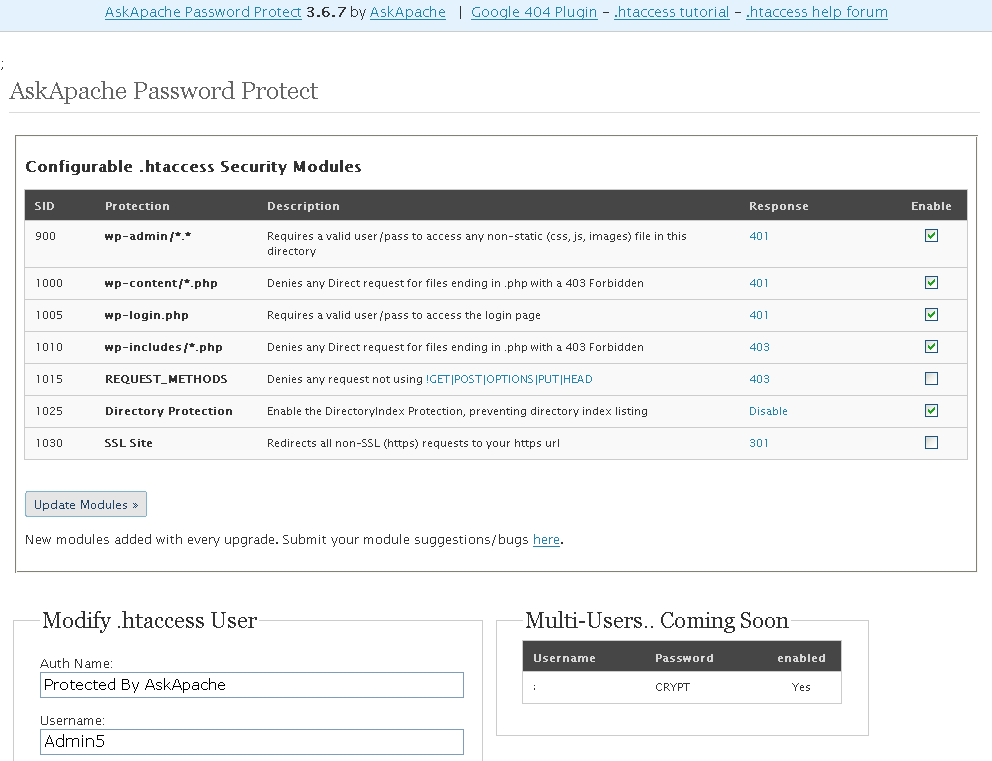
 So my blog as been rather quiet for almost a year now, and very few updates if any have been released for my Password Protection PLugin, my Google 404 Plugin, and definately not for my AskApache CrazyCache plugin, which I will be releasing last... So for all of you who've helped me out by sending me suggestions and notifying me of errors and sticking with it... Just wanted to say sorry about that, and thanks for all the great ideas.. Well, I've been sticking with it as well believe it our not. I manage to get free days once in a while, and then its time to jam.
WordPress Apache HTTP Server CGI Debugging HTTP protocol Htaccess SuexecUserGroup
 What if you'd like to send a 200 OK response instead of the default 404 Not Found response using Apache
 .htaccess files or httpd.conf? One use would be to make sure upstream caches cache any request on an api server, as 404's are not cached.
Apache, Htaccess 404 ErrorDocument Redirect
 So here's the basic idea: There are 2 sites, a development site and a live site. They are essentially mirrors of each other in terms of they have the same files. You need to disallow all search engine robots from indexing and crawling the development site, while allowing full crawling of your live site. Htaccess to the rescue!
Htaccess Htaccess RewriteRule robots.txt
 Learn how to make YOUR DreamHost promo codes work much better for YOU! This is not about promo-codes, this is about a simple method you should implement.
Hosting
Hosting, Htaccess, Linux, PHP Htaccess php-fpm
2 awesome ways to implement caching on your website using Apache .htaccess or httpd.conf. Both methods are extremely simple to set up and will dramatically speed up your site! Htaccess Cache Cache-Control ETag Expires Header Headers Htaccess mod_expires mod_headers