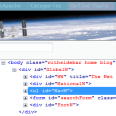
Here's the problem I was having while working on a custom theme for a client. Certain pages, posts, tag pages, archive pages, and custom pages either had the sidebar, or did not have the sidebar. The main content div #ContentW had a 72% width when the sidebar was present, otherwise it was 96%. The problem was that I dislike having to do things manually when they can be automated through code. What I was having to do was manually add/remove page-specific classes to the css file to reflect whether the sidebar was present on that page or not.
CSS is one of the most useful tools I have in my toolbox as a Web Developer. Having a CSS Toolbox containing good CSS Classes that you repeatedly use is quite helpful for us XHTML / web-standards / best-practices developers. Check out 10 of my favorite CSS classes.
To prepare for several upcoming articles on AskApache that are focused on optimizing Servers and Sites from a server admin level, here is an article to introduce the main tools that we will be using. These tools are used to optimize CPU time for each process using nice and renice, and other tools like ionice are used to optimize the Disk IO, or Disk speed / Disk traffic for each process. Then you can make sure your mysqld and httpd processes are always fast and prioritized.
htaccess rewrite Master Class! If you understand the basics of mod_rewrite, or if you literally write the mod_rewite.c code, this article will transform your thinking. The transformation is profound. Deeply effective. Culmination of the best of the best mod_rewrite tricks for understanding and learning exactly what rewrite is doing.
2 awesome ways to implement caching on your website using Apache .htaccess or httpd.conf. Both methods are extremely simple to set up and will dramatically speed up your site!
The story behind this plugin is sorta wack, but in a good way :). While doing tons of security research on permissions, authorization, access, etc.. for the Password Protection plugin (still being worked on), I needed to have unheard of debugging capabilities while working on the plugin on the various websites, webhosts, and test servers that I use to test in different environments. So I hacked together a bunch of php code that helped me debug, actually I pretty much went overkill and tried to get as much debugging info as programmatically possible, and it ended up being so much code that I took it out of my Password Protection code and made it its own plugin.
So my blog as been rather quiet for almost a year now, and very few updates if any have been released for my Password Protection PLugin, my Google 404 Plugin, and definately not for my AskApache CrazyCache plugin, which I will be releasing last... So for all of you who've helped me out by sending me suggestions and notifying me of errors and sticking with it... Just wanted to say sorry about that, and thanks for all the great ideas.. Well, I've been sticking with it as well believe it our not. I manage to get free days once in a while, and then its time to jam.
I used to have a problem of controlling flash elements on my sites.. On one site we have 6 different flash flv movies that are all the same size and are in the same position on the page. But only 1 is displayed at a time based on what the user wants to watch. So the selected flash movie needs to have the highest stacking order/zIndex.
The proponents of this scheme have given it names such as "trusted computing" and "palladium". We call it "treacherous computing", because the effect is to make your computer obey companies instead of you. This was implemented in 2007 as part of Windows Vista; we expect Apple to do something similar. In this scheme, it is the manufacturer that keeps the secret code, but the FBI would have little trouble getting it.
This is really useful for me because I work with dozens of different database servers. The first thing I do is run this command and paste it into the servers /etc/my.cnf file. That way I will always know the original value and it just makes life much easier.
While playing around with the Nmap Scripting Engine (NSE) we discovered an amazing number of open embedded devices on the Internet. Many of them are based on Linux and allow login to standard BusyBox with empty or default credentials. We used these devices to build a distributed port scanner to scan all IPv4 addresses. These scans include service probes for the most common ports, ICMP ping, reverse DNS and SYN scans. We analyzed some of the data to get an estimation of the IP address usage.
Don’t ask me how because I won’t tell you, but on one of the hosts I was testing on that did not allow direct access I was able to get the Apache server running as dhapache to erroneously write a file into my users blog directory. This is a big security no-no and I now have my .htaccess file written into the blog directory where it should go, but instead of my php script’s user having write access to the file so I can modify it, its owned by dhapache! Because the file is owned by dhapache I shouldn’t even be allowed to know it exists, but there it is. So the next step was to try and take ownership of the .htaccess file so that I could modify it. I tried and tried but was unsuccessful, I couldn’t modify it so that was another dead end. Actually it took me awhile to figure out how to remove the file from my directory. Being that it was owned by dhapache I couldn’t delete or modify it using my php process or even through ftp/ssh! Sysadmins regularly run find commands that search the servers for any files owned by dhapache that should not be there as this is a big red flag that someone has found a way to manipulate dhapache which could potentially lead to modifying dhapache-owned server config files, which sometimes is all it takes to hack your website and server.. Luckily I was able to delete it by basically running the hack again to overwrite the file.
List of mainly obscure security software geared more for the master pentester. These are mostly for unix, bsd, and mac and many are difficult to install and setup (require custom servers, inside access points, obscure libraries). Only programs that output data are included, so no actual exploits or anything. Most of these output extremely useful albeit extremely technical information.
WordPress uses a file named .htaccess to rewrite all requests to the main index.php file. This article explains what the htaccess file rules look like and what they actually do.
Here is the basic process that I use to speed up Windows. A lot of good tips and tricks I've picked up over the past 15+ years of crashing and burning Windows that can transform your PC to be much faster than its ever been. The process focuses on freeing up RAM/Memory, freeing up your CPU/Processor, and optimizing your Hard Drive for a permanent solution.
Make sure to check out the free software I recommend at the end, installing them after this optimization process will keep your machine fast for a long time.
The goal is to add the HostGator server to be an exact mirror of the s.askapache.net domain, then to add that server as a 2nd A record to my DNS zone. That way half the visitors to the size will be taking up resources and bandwidth on the HostGator server instead of mine.
Round Robin A records in DNS are intended to evenly distribute queries between each host of the same name. Using some tricks straight out of a hackers toolbox we can verify if the distribution is taking place. (It is.)
The bottom line for this article is that I want to make WordPress as fast, secure, and easy to install, run, and manage because I am using it more and more for client production sites, I will work for days in order to solve an issue so that I never have to spend time on that issue again. Time is money in this industry and that is ultimately (time) what there is to gain by tweaking WordPress.
Note: I spent no time on readability, this is primarily a read the code and figure it out article.. This is for advanced users looking for a reference or discussion and for those of you looking to advance. Feedback would be great if you make it that far..
There isn't much vlan info on the net in terms of specifics and I had to learn all about it because I needed to log in to a switch that was on a different vlan. With the help of the Ettercap developers NaGA and ALoR I figured it out.
Yes, it's true! I'm the author of ping for UNIX. Ping is a little thousand-line hack that I wrote in an evening which practically everyone seems to know about. :-)
Its really nice to be able to print out a webpage you are reading using your browsers built-in print feature. Using CSS you can easily transform your site into a print-friendly site.
Today I received an email from a visitor to my site requesting that I add a way to print site articles on AskApache
PHP's fsockopen function lets you open an Internet or Unix domain socket connection for connecting to a resource, and is one of the most powerful functions available in the php language.
Well what can I say, other than this is sooo DOPE! Here is a list of the modules this plugin (version 4.7 unreleased) will automatically detect. I compiled the list myself using every module included with any default Apache installation for ALL the versions listed below, 1.3 to 2.2+
Want to know something else I'm including in this plugin? For each and every module that is detected, this plugin can then detect ALL of the modules .htaccess Directives! For instance, RewriteRule, AccessFileName, AddHandler, etc.. are each a directive belonging to a module that is allowed to be used from within .htaccess files.
Talk about sick.. these tricks have the diamond disease!
The Admin Bar in WordPress is always shown when in the backend administration area no matter what.
You are given the option to show/hide the admin bar when viewing the site, but there is no option to show/hide the admin bar when using the backend... So I created a plugin to provide that option on profile pages.
Why hide the admin bar in backend? Normally I like the admin-bar and usually have it enabled, but it's nice to be able to switch it on/off from the "Edit Profile" page. The biggest reason for not loading/showing the admin_bar in the backend is SPEED. Here are 2 instances where I hide it-
· Sites with many authors/admins · Moderating Comments on a Mobile Phone
The idea is to use CSS to have the browser display programming and code similar to the high-quality look of a developers machine, like this older screenshot of my VIM.
Problem: WordPress shows pages, categories, author pages, etc. without an ending '/'. /about instead of /about/. /category/htaccess instead of /category/htaccess/.
One of the most cost-effective ways to drive traffic to your Web site is to optimize it for search engines. Many of them use automated programs called "crawlers" or "spiders" to create an index of the Web, which they use to determine what sites are most relevant to users' queries. These programs essentially visit Web sites, read the pages' content, and follow any links to other pages, repeating the process
.htaccess is a very ancient configuration file for web servers, and is one of the most powerful configuration files most webmasters will ever come across. This htaccess guide shows off the very best of the best htaccess tricks and code snippets from hackers and server administrators.
You've come to the right place if you are looking to acquire mad skills for using .htaccess files!
Using memcache for me personally and the client sites I work on, has improved performance by over 1000%, in some cases even higher than that. It is a truly revolutionary way to optimize the performance of MySQL queries, remote requests such as to twitter or other apis, and this article is step 1. Plan is to go all the way to step 10 in future articles, it it grossly underused and misused in the WP world.
I am now about 1 week away from publishing the much-anticipated 4.7 update to the AskApache Password Protection WordPress plugin. It's an upgrade I've been working on for almost 2 years (off and on)! I have been using the new version for quite some time now, and have made a lot of improvements to it, and finally I decided enough users have suffered with the old version. I am very excited for this release, it fixes all known bugs in the older versions, and brings some heavy-duty improvements to all facets of this plugin.. not to mention way better security modules (Lots more COOKIE use) based on code I use with clients.




 I used to have a problem of controlling flash elements on my sites.. On one site we have 6 different flash flv movies that are all the same size and are in the same position on the page. But only 1 is displayed at a time based on what the user wants to watch. So the selected flash movie needs to have the highest stacking order/zIndex.