Quick and easy method to get a list of all Apache Modules currently loaded, a list of all the directives each module provides, a list of currently used directives, etc... These directives can be used in httpd.conf and/or .htaccess files so it is definately useful to know which ones are available and which ones are currently being used.
Htaccess Apache bash lynx mod_rewrite mod_status server-info server-status
 If you desire SPEED from your WordPress blog, the #1 speed improvement comes from using the WP-Cache Plugin. If you still desire SPEED after installing the Plugin, you can modify the WP-Cache Plugin code to make your blog even faster!
Optimization Cache wordpress WP-Cache
To prepare for several upcoming articles on AskApache that are focused on optimizing Servers and Sites from a server admin level, here is an article to introduce the main tools that we will be using. These tools are used to optimize CPU time for each process using nice and renice, and other tools like ionice are used to optimize the Disk IO, or Disk speed / Disk traffic for each process. Then you can make sure your mysqld and httpd processes are always fast and prioritized.
Optimization CFQ Idle linux Linux scheduler Load Nice RAM Scheduling algorithms
Apache .htaccess Directives and Loaded Modules allowed on DreamHost Apache Server 2 Setups.
Hosting
2 awesome ways to implement caching on your website using Apache .htaccess or httpd.conf. Both methods are extremely simple to set up and will dramatically speed up your site! Htaccess Cache Cache-Control ETag Expires Header Headers Htaccess mod_expires mod_headers
Apache, Hosting 2.4 Apache Error
 One of the first things that I do upon receiving a new Windows computer is immediately create a poweruser-style customized boot menu. Then every time I boot I can choose Safe Mode, Recovery Console, Debug, whatever I want! It's quick and easy to set-up and everyone should have one, soo sweet!
Windows
Apache server performance can be improved by adding additional hardware resources such as RAM, faster CPU, etc. Optimization
Hosting, Htaccess, Linux, PHP Htaccess php-fpm

Hacking, Net, PHP cURL Error PHP
 This is not your everyday vimrc. This is my personalized vimrc.. works especially great on remote servers, in tmux, screen, etc.
This doesn't require a git checkout, a vim update, a bash update, an OS update, a plugin. No. 1 vimrc, 1 colorscheme, just use curl to download and it's on. I use this on Arch Linux, NetBSD, FreeBSD, OpenBSD, Debian, Ubuntu, Cent OS, Red Hat, and that's mostly it so far.
If you aren't already using vim as your primary editor in a powerful way, you are gonna owe me for this.
Linux .vimrc 256 Color Vim
NOT a typo.. 30x is measurable, well-documented, and easily tested. This is what open-source is about. I haven’t had time to post much the past year, I'm always working! So I wanted to make up for that by publishing an article on a topic that would blow your mind and be something that you could actually start using and really get some benefit out of it. This is one of those articles that the majority of web hosting companies would love to see in paperback, so they could burn it.
Optimization tmpfs
Using FastCGI on DreamHost and .htaccess
Shell Scripting
Hosting DreamHost Out of memory RAM virtual memory
One way I speed up AskApache.com is by downloading external third-party javascript files to host on my own server instead of externally. In addition to the obvious speed boost, this lets you configure the caching and compression settings for the files.
Javascript
While researching a unix/linux tool awk I came upon one of the most thorough and helpful tutorials I've ever seen devoted to a particular topic. It's old-school just the way I like it. I contacted the author, Bruce Barnett because I just HAD to have this article for my readers, who are predominantly running solaris/unix/bsd/linux and he kindly gave permission.
Linux
SSLOptions +StrictRequire
SSLRequireSSL
SSLRequire %{HTTP_HOST} eq "google.com"
ErrorDocument 403 https://google.com
Some of the Ins and Outs of using SSL Connections with Apache.
Htaccess 301 Redirects Htaccess mod_rewrite SSL
mod_rewrite is very useful in many situations. Yet some behaviors were not so obvious when I started to mess with it. After many testings, I understand it much better, now. Having said that, I do not pretend to know it perfectly. I also make mistakes.
Htaccess
 As an example, here is the boot line that I am using at the moment on an older Dell Desktop, just to illustrate module parameters and environment vars.
title  Arch Linux X-256
linux   /vmlinuz-linux root=UUID rw rootfstype=ext4 elevator=noop selinux=0 plymouth.enable=0 raid=noautodetect ipv6.disable=1 video=DP1:d rcutree.rcu_idle_gp_delay=1 i915.panel_ignore_lid=-1 i915.modeset=1 TERM=rxvt-256color
Linux Arch Linux Boot GRUB Kernel
Windows boot.ini
An image and technicacl achievement so profound, it will touch yoour heart.. So 3D... it'll hurt you eyes! LOL.. lol.. Man I am cracking up here. haha Ha definately the best intro ever, those really do look 3D for terminal though huh.. Sweet. Here is the little function I wrote to output that grey marble.

Linux ANSI escape code ANSI.SYS Control characters Escape sequence Stty Termcap Terminfo Tput
Hosting, Net DNS
 While playing around with the Nmap Scripting Engine (NSE) we discovered an amazing number of open embedded devices on the Internet. Many of them are based on Linux and allow login to standard BusyBox with empty or default credentials. We used these devices to build a distributed port scanner to scan all IPv4 addresses. These scans include service probes for the most common ports, ICMP ping, reverse DNS and SYN scans. We analyzed some of the data to get an estimation of the IP address usage.
Hacking
Here is the basic process that I use to speed up Windows. A lot of good tips and tricks I've picked up over the past 15+ years of crashing and burning Windows that can transform your PC to be much faster than its ever been. The process focuses on freeing up RAM/Memory, freeing up your CPU/Processor, and optimizing your Hard Drive for a permanent solution.
Make sure to check out the free software I recommend at the end, installing them after this optimization process will keep your machine fast for a long time.
Windows Defragment Optimize Sysinternals Windows XP
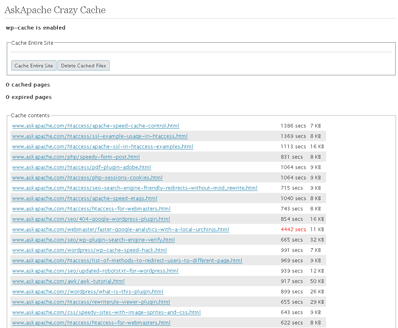
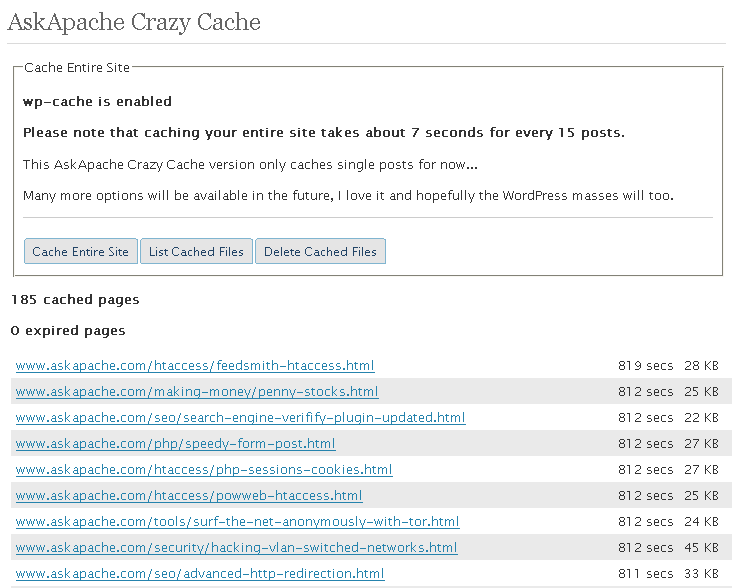
 A plugin built to generate static files from php+mysql for Apache to serve the way its supposed to be.. My dream. Conclusion: Needs some improvement, pretty sweet though.
Optimization
The goal is to add the HostGator server to be an exact mirror of the s.askapache.net domain, then to add that server as a 2nd A record to my DNS zone. That way half the visitors to the size will be taking up resources and bandwidth on the HostGator server instead of mine.
Round Robin A records in DNS are intended to evenly distribute queries between each host of the same name. Using some tricks straight out of a hackers toolbox we can verify if the distribution is taking place. (It is.)
Optimization DNS HostGator Rackspace Round-Robin WiredTree
thought I'd take a break from coding and post about how open-source is such a great tool for finding the best answers to the toughest questions,
/** is the status code informational */
#define ap_is_HTTP_INFO(x)         (((x) >= 100)&&((x) < 200))
/** is the status code OK ?*/

#define ap_is_HTTP_SUCCESS(x)      (((x) >= 200)&&((x) < 300))
/** is the status code a redirect */
#define ap_is_HTTP_REDIRECT(x)     (((x) >= 300)&&((x) < 400))

/** is the status code a error (client or server) */
#define ap_is_HTTP_ERROR(x)        (((x) >= 400)&&((x) < 600))
/** is the status code a client error  */

#define ap_is_HTTP_CLIENT_ERROR(x) (((x) >= 400)&&((x) < 500))
/** is the status code a server error  */
#define ap_is_HTTP_SERVER_ERROR(x) (((x) >= 500)&&((x) < 600))

/** is the status code a (potentially) valid response code?  */
#define ap_is_HTTP_VALID_RESPONSE(x) (((x) >= 100)&&((x) < 600))
Hacking
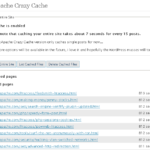 A WordPress plugin that caches your entire blog for WP-Cache, I love this plugin and finally released it to the public!
WordPress
 Part II: Example illustrating how to speed up GET/POST form submissions. Uses fsockopen to initiate a server-side background request to process the submitted data, so that the result page of the form is displayed to the client lightningly quick.
PHP
 Learn about the 7 different HTTP response codes specifically reserved for redirection. 301, 302, 303, 304, 305, and 307.
SEO
 Google AdSense calles their AdSense Ads, "Sponsored Links", while Text-Link-Ads.com recommends "Sponsored By". Of course it is against the Google Adsense TOS to rename your ads, but in general, for non-adsense, what do you like to call your sponsored links?
SEO
 Check out this free online SEO site-scoring tool. The SEO generated report is simple, neat, and helpful. The main thing I like about it is how it is a stand-alone website, a residual money making machine.
Software
Yes, it's true! I'm the author of ping for UNIX. Ping is a little thousand-line hack that I wrote in an evening which practically everyone seems to know about. :-)
Hacking
There are a total of 57 HTTP Status Codes recognized by the Apache Web Server. Wouldn't you like to see what all those headers and their output, ErrorDocuments look like?
Htaccess 403 404 500 503 Htaccess mod_rewrite PHP RewriteCond RewriteRule
List of the directives available to Powweb users for use in htaccess files Htaccess
- When php run as Apache Module (mod_php)
- When php run as CGI
- When cgi?d php is run with wrapper (for FastCGI)
PHP CGI Htaccess PHP php.ini
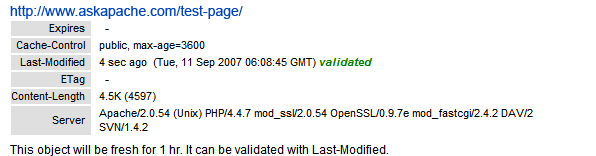
If you examine the preferences dialog of any modern Web browser (like Internet Explorer, Safari or Mozilla), you'll probably notice a 'cache' setting. This lets you set aside a section of your computer's hard disk to store representations that you've seen, just for you. The browser cache works according to fairly simple rules. It will check to make sure that the representations are fresh, usually once a session (that is, the once in the current invocation of the browser).
Optimization
 One of the biggest speed bottlenecks of sites today are images, specifically unoptimized images or large scaled images. With Apaches Rewrite module we can convert all existing jpegs and png files (and most gifs) to webp, then transparently rewrite them so that a request for img.png from a browser that supports webp will receive img.webp.
Hosting, Htaccess, Optimization accept Header png RewriteCond RewriteRule vary webp