This is really useful for me because I work with dozens of different database servers. The first thing I do is run this command and paste it into the servers
 /etc/my.cnf file. That way I will always know the original value and it just makes life much easier.
$ mysql -NBe 'SHOW VARIABLES' |sed 's,\t,^=,'|column -ts^|tr "\n" '@'|eval $(echo "sed '" "s,@\("{a..z}"\),\n\n\1,;" "'")|tr '@' "\n"|sed 's,^,# ,g'
MySQL /etc/my.cnf bash column eval MySQL MySQL Variables Command sed tr
2 awesome ways to implement caching on your website using Apache .htaccess or httpd.conf. Both methods are extremely simple to set up and will dramatically speed up your site! Htaccess Cache Cache-Control ETag Expires Header Headers Htaccess mod_expires mod_headers
List of mainly obscure security software geared more for the master pentester. These are mostly for unix, bsd, and mac and many are difficult to install and setup (require custom servers, inside access points, obscure libraries). Only programs that output data are included, so no actual exploits or anything. Most of these output extremely useful albeit extremely technical information. Security
 I've tried 100's of Anti-virus, Anti-Rootkit, and Anti-Spyware tools over the last 10 years, but it's always good to re-examine your system's security every couple of months.
Security
 Advanced Web Development by AskApache is a Firefox Collection I created since I'm always trying new Addons out and using multiple computers and I wanted a quick and easy way to install my favorite's and keep a running list. Firebug, YSlow, LastPass, and Web Developer are the only ones I always use regularly.
I like the idea of the last.fm but it's not as powerful as the site, which is awesome. Lately listening to Kings of Leon Radio...
Software Addons Firefox Mozilla
Learn how to setup, configure, secure, optimize, and create a low-maintenance website the AskApache way. I'm piecing together all the hacks, tricks, methods, and ideas discussed throughout this blog and all across Netdom and glueing them all together to show you how to have the most optimized, crazy fastest, and best website setup I can think of.
Hosting Apache HTTP Server Caching Htaccess HTTP linux operating systems round-robin DNS technology Web Developer Web server
 So my blog as been rather quiet for almost a year now, and very few updates if any have been released for my Password Protection PLugin, my Google 404 Plugin, and definately not for my AskApache CrazyCache plugin, which I will be releasing last... So for all of you who've helped me out by sending me suggestions and notifying me of errors and sticking with it... Just wanted to say sorry about that, and thanks for all the great ideas.. Well, I've been sticking with it as well believe it our not. I manage to get free days once in a while, and then its time to jam.
WordPress Apache HTTP Server CGI Debugging HTTP protocol Htaccess SuexecUserGroup
The following is just a quick but detailed reference of some of the commands I used to successfully uninstall cpanel permanently. This is for advanced users of the shell. If you run a single one of these commands without fully understanding it, you will probably kill your server, lose everything on it permanently, not have a website or email for weeks.. So backup everything. FIRST. You should also contact your hosting provider support - but be prepared for some MAJOR negativity.. cpanel makes things very easy for web-hosting companies, and you are less than a drop in their bucket.
Hacking bash cpanel linux whm
Hosting, Net DNS
 After many years of using any and all terminal emulators out there, from xterm to the Gnome terminal, to KDE Konsole to xfce4-terminal, lxterminal, vte, yakuake, rote, roxterm, sakura, terminator, and putty I finally I settled in for the long-haul with rxvt (rxvt-unicode).
My BOX: Slim -> Ratpoison -> URxvt -> Tmux -> Bash
Linux .Xdefaults .Xresources bash Gnome terminal GNU Screen ratpoison rxvt rxvt-unicode Terminal multiplexers tmux urxvt Xterm Yakuake
 This is a big update from the last time I looked into this, when I enumerated 57 Status Codes that Apache 2.x was capable of handling. This list contains 83 Status Codes recognized by Apache. I compiled the latest 2.4.4 Apache in order to view the actual codes sent by a live server.. very cool. You can read about the newest HTTP Status Codes in RFC 6585.
Net Apache cURL ErrorDocument Htaccess HTTP HTTP Headers Redirect Status Code
 While playing around with the Nmap Scripting Engine (NSE) we discovered an amazing number of open embedded devices on the Internet. Many of them are based on Linux and allow login to standard BusyBox with empty or default credentials. We used these devices to build a distributed port scanner to scan all IPv4 addresses. These scans include service probes for the most common ports, ICMP ping, reverse DNS and SYN scans. We analyzed some of the data to get an estimation of the IP address usage.
Hacking
 WordPress uses a file named
 .htaccess to rewrite all requests to the main index.php file. This article explains what the htaccess file rules look like and what they actually do.
Htaccess Htaccess wordpress
I am almost ready to publish the final tutorial on using ssh tunnels from a truecrypt partition on a Windows machine. Of course I choose to go way overboard in my research and the tutorial is full of some pretty awesome windows tricks.. I will come back to this post soon and post all the other advanced tools I use for debugging windows, for now though you MUST know how to debug the kernel and use these basic debugging tools.
Windows Assemblers basic debugging tools Debug Debuggers Debugging Kernel
NOT a typo.. 30x is measurable, well-documented, and easily tested. This is what open-source is about. I haven’t had time to post much the past year, I'm always working! So I wanted to make up for that by publishing an article on a topic that would blow your mind and be something that you could actually start using and really get some benefit out of it. This is one of those articles that the majority of web hosting companies would love to see in paperback, so they could burn it.
Optimization tmpfs
Search Engine Optimization for WordPress WordPress
The goal is to add the HostGator server to be an exact mirror of the s.askapache.net domain, then to add that server as a 2nd A record to my DNS zone. That way half the visitors to the size will be taking up resources and bandwidth on the HostGator server instead of mine.
Round Robin A records in DNS are intended to evenly distribute queries between each host of the same name. Using some tricks straight out of a hackers toolbox we can verify if the distribution is taking place. (It is.)
Optimization DNS HostGator Rackspace Round-Robin WiredTree
Using FastCGI on DreamHost and .htaccess
Shell Scripting

Well what can I say, other than this is sooo DOPE! Here is a list of the modules this plugin (version 4.7 unreleased) will automatically detect. I compiled the list myself using every module included with any default Apache installation for ALL the versions listed below, 1.3 to 2.2+
Want to know something else I'm including in this plugin? For each and every module that is detected, this plugin can then detect ALL of the modules .htaccess Directives! For instance, RewriteRule, AccessFileName, AddHandler, etc.. are each a directive belonging to a module that is allowed to be used from within .htaccess files.
Talk about sick.. these tricks have the diamond disease!
WordPress Advanced Anti-Exploit Anti-Spam Htaccess RewriteCond RewriteRule security SSL THE_REQUEST
 PHP's fsockopen function lets you open an Internet or Unix domain socket connection for connecting to a resource, and is one of the most powerful functions available in the php language.
PHP fsockopen PHP socket strace udp Unix
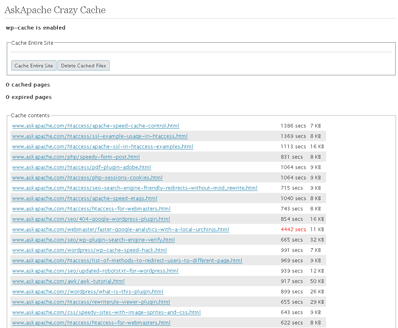
 A plugin built to generate static files from php+mysql for Apache to serve the way its supposed to be.. My dream. Conclusion: Needs some improvement, pretty sweet though.
Optimization
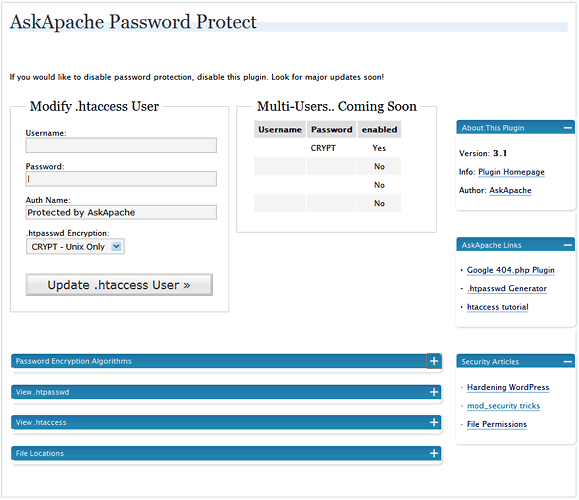
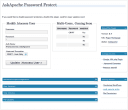 WordPress plugin gives you control over HTTP Basic Authentication for your WordPress blog which among other things, stops most automated hacking attempts and exploits being attempted, cutting down on the number of requests, connections, and mysql queries for all WordPress blogs on the Internet.
WordPress
 Check out this free online SEO site-scoring tool. The SEO generated report is simple, neat, and helpful. The main thing I like about it is how it is a stand-alone website, a residual money making machine.
Software
If you remove the Last-Modified and ETag header, you will totally eliminate If-Modified-Since and If-None-Match requests and their 304 Not Modified Responses.
Htaccess Cache Caching ETag Htaccess Last-Modified
Very nice tutorial dealing with the robots.txt file. Shows examples for google and other search engines. Wordpress robots.txt and phpBB robots.txt sample files. SEO
Hosting
If you examine the preferences dialog of any modern Web browser (like Internet Explorer, Safari or Mozilla), you'll probably notice a 'cache' setting. This lets you set aside a section of your computer's hard disk to store representations that you've seen, just for you. The browser cache works according to fairly simple rules. It will check to make sure that the representations are fresh, usually once a session (that is, the once in the current invocation of the browser).
Optimization
Hacking
WordPress json_encode memory PHP wordpress