Rewrite underscores to hyphens for SEO URL
Replace underscores in URLs with hyphens using Apache .htaccess.
Replace underscores in URLs with hyphens using Apache .htaccess.
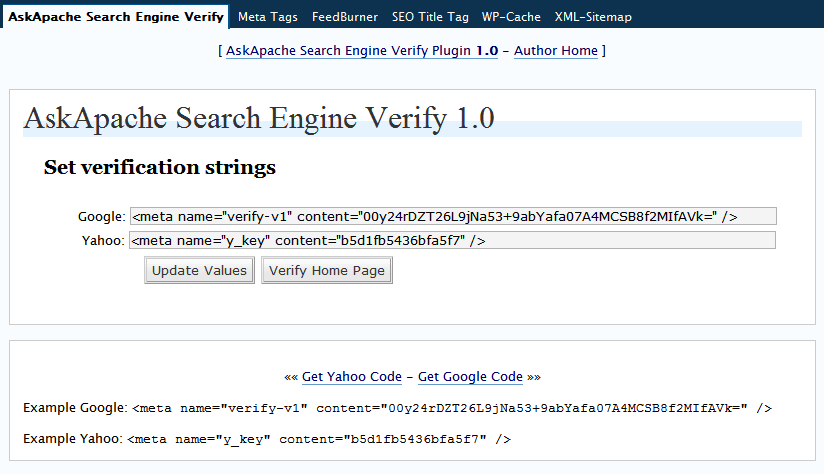 You may not think much about verifying your website with these search engines, but I am of the opinion it is extremely good for Search Engine Optimization (SEO). In fact, I read the other day on Google that if you buy a domain with a checkered past that has been punished by the search engines and you want it to be reincluded in the index this is what they recommended. Verify your sites.
 Time-dependant rewriting uses mod_rewrite and apache server time variables to display different files depending on the time, while the URL stays the same. An often requested implementation of this is to display a different home page or image depending on if its morning, noon, or night.
Say you want to deny access to your entire site except when you access it. The following htaccess code does just that. Instead of a Static IP you could also use a hostname, or part of a hostname..
 WordPress uses a file named
 .htaccess to rewrite all requests to the main index.php file. This article explains what the htaccess file rules look like and what they actually do.

Well what can I say, other than this is sooo DOPE! Here is a list of the modules this plugin (version 4.7 unreleased) will automatically detect. I compiled the list myself using every module included with any default Apache installation for ALL the versions listed below, 1.3 to 2.2+
Want to know something else I'm including in this plugin? For each and every module that is detected, this plugin can then detect ALL of the modules .htaccess Directives! For instance, RewriteRule, AccessFileName, AddHandler, etc.. are each a directive belonging to a module that is allowed to be used from within .htaccess files.
Talk about sick.. these tricks have the diamond disease!
 This is a brief explanation of what is needed for an awesome theme, well awesome from my perspective. This is good stuff, memorize it.
Get the monthly newsletter —
the Free Software Supporter
Become a member of the Free Software Foundation today to help us reach our goal of $450,000 by January 31st.
 FallBackResource is a great alternative to using mod_rewrite to direct Apache to send all requests for non-existing files/directories to a script in WordPress. Htaccess and Server Config enabled.
 Using memcache for me personally and the client sites I work on, has improved performance by over 1000%, in some cases even higher than that. It is a truly revolutionary way to optimize the performance of MySQL queries, remote requests such as to twitter or other apis, and this article is step 1. Plan is to go all the way to step 10 in future articles, it it grossly underused and misused in the WP world.
Look at the text "askapache". That's pretty boring huh? It would be cool to have a nerdy textual representation of that for extra nerdy stuff like styling my /robots.txt file, email list signatures, forum sigs, etc. But who has time to create that by hand? If only there were an online tool to create it..
Bam.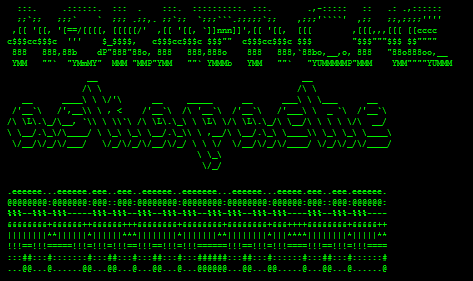
 Google's mod_pagespeed speeds up your site and reduces page load time. This open-source Apache HTTP server module automatically applies web performance best practices to pages, and associated assets (CSS, JavaScript, images), all transparently like a Squid Proxy.
With TMPFS you can dramatically improve the speed of mod_pagespeed and the webpages served by it. TMPFS will store/serve the optimized PageSpeed output directly from RAM!
While reading up on gethostbyaddr on PHP.net, I saw a nice idea for using fsockopen to connect over UDP port 53 to any Public DNS server, like Google DNS 8.8.8.8, and sending the reverse addr lookup in oh about 100 bytes, then getting the response in oh about 150 bytes! All in less than a second. This is how/why to read/write data directly to the wire! This would be extremely valuable for use in things like my online header tool because it's faster than any other method. As usual, I went a bit overboard optimizing it to be lean and fast.
This article is a quick and easy HowTo detailing the use of Wireshark or another network sniffing program to debug your Apache .htaccess or httpd.conf files.
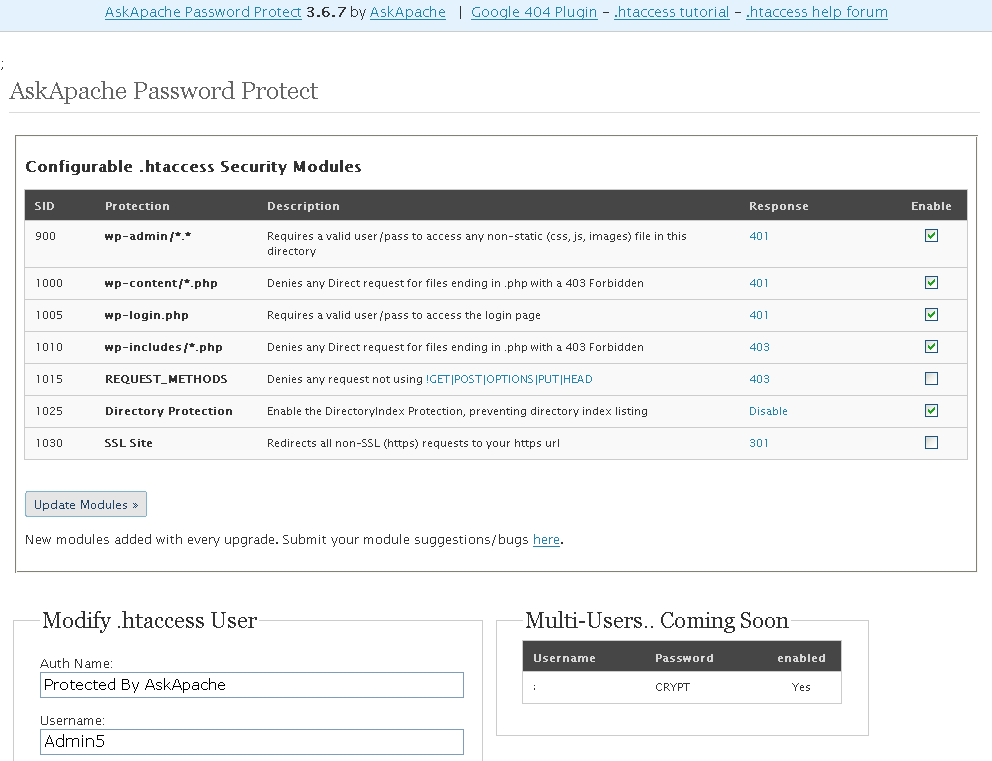
How to password-protect, Allow or Deny a visitor based on a condition. If you are having trouble getting htaccess-based password protection to work see: Troubleshooting htaccess Authentication: Getting it to work
Before
init-connect='SET NAMES utf8'
init_connect='SET CHARACTER SET=utf-8'
After
init_connect='SET collation_connection = utf8_general_ci,NAMES utf8'
Apache Web Server users have problems getting Apache Authentication/password-protection in htaccess working, this is a troubleshooting guide to get Password Protection working!
 While playing around with the Nmap Scripting Engine (NSE) we discovered an amazing number of open embedded devices on the Internet. Many of them are based on Linux and allow login to standard BusyBox with empty or default credentials. We used these devices to build a distributed port scanner to scan all IPv4 addresses. These scans include service probes for the most common ports, ICMP ping, reverse DNS and SYN scans. We analyzed some of the data to get an estimation of the IP address usage.
 Quick and easy method to get a list of all Apache Modules currently loaded, a list of all the directives each module provides, a list of currently used directives, etc... These directives can be used in httpd.conf and/or .htaccess files so it is definately useful to know which ones are available and which ones are currently being used.
301 Redirects using Apache mod_rewrite or RedirectMatch in .htaccess or httpd.conf
 Learn about the 7 different HTTP response codes specifically reserved for redirection. 301, 302, 303, 304, 305, and 307.
I've had a lot of people ask about the FeedBurner FeedCount image on AskApache. Specifically how to set it up with custom messages and different colors each page view... It is pretty sweet..
 htaccess rewrite Master Class! If you understand the basics of mod_rewrite, or if you literally write the mod_rewite.c code, this article will transform your thinking. The transformation is profound. Deeply effective. Culmination of the best of the best mod_rewrite tricks for understanding and learning exactly what rewrite is doing.
The proponents of this scheme have given it names such as "trusted computing" and "palladium". We call it "treacherous computing", because the effect is to make your computer obey companies instead of you. This was implemented in 2007 as part of Windows Vista; we expect Apple to do something similar. In this scheme, it is the manufacturer that keeps the secret code, but the FBI would have little trouble getting it.
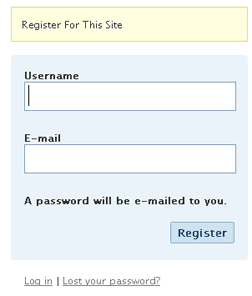
Registering on a WP blog requires entering a username and email then checking your email for an auto password.
Too much work to put your users through?
This uses just email and password and does it all.
This past week I updated my sites apache.css file for a site-redesign. I wanted to make changes to the .css file that only I could see, so that my regular traffic and site-visitors would still see the old version. Here's the elegant solution I came up with using .htaccess and mod_rewrite that works so well I'm sharing it with all you wonderful and incredible people reading my blog :)
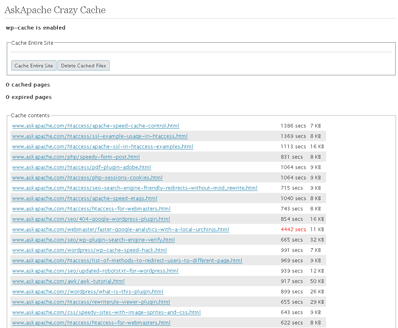 A plugin built to generate static files from php+mysql for Apache to serve the way its supposed to be.. My dream. Conclusion: Needs some improvement, pretty sweet though.
 If you have a Powweb Webhosting account, you will appreciate this simple skeleton .htaccess file for use on their systems.
 If you want to pre-load
 .flv / .mp3 files into a visitors browser cache using flash, here's the actionscript I use to do it, and some ideas behind a good javascript implementation using swfobject or ufo.
 For the good of your followers,
for the good of mankind,
and for our own enjoyment,
we shall proceed to expel you from the Internet and systematically dismantle the Church of Scientology in its present form.
If you have a php.cgi or php.ini file in your /cgi-bin/ directory or other pub directory, try requesting them from your web browser. If your php.ini shows up or worse you are able to execute your php cgi, you'll need to secure it ASAP. This shows several ways to secure these files, and other interpreters like perl, fastCGI, bash, csh, etc.
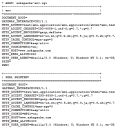 My improved version of the common printenv / test-cgi scripts for debugging Apache environment variables set in .htaccess files